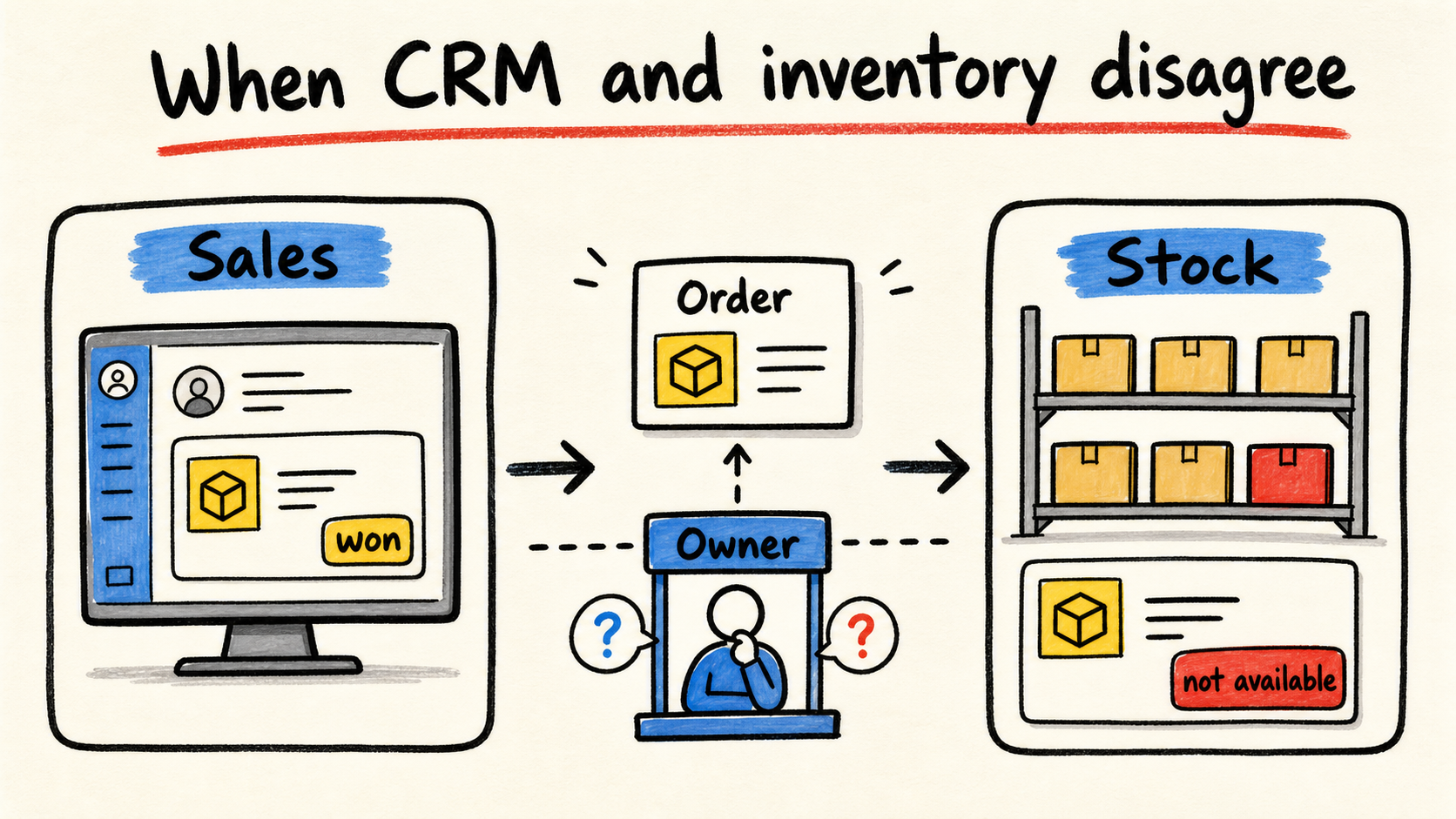
The salesperson says the order was won. The warehouse says the item is not available. In the meeting, each team opens a different screen and starts arguing about which number is right. Someone copies the records into a spreadsheet and promises to come back with an answer.
CRM and inventory can show different numbers without either system being wrong. They often record different moments in the same operation. The CRM tracks commercial intent and the opportunity stage. Inventory tracks receipts, shipments, reservations, and availability. If your business needs an accountable owner for its software, that person should define these boundaries, not just connect fields.
When the discrepancy starts at the source, the migration needs a trail too: see how to move inventory from a spreadsheet without losing the explanation for the balance.
When the disagreement starts in the customer record, see how to stop one customer becoming two records.
The short answer
- First find out whether the systems record different events or whether a record was actually lost.
- Trace one order from the CRM to inventory using stable identifiers, states, and timestamps.
- Decide which system owns each fact: customer, opportunity, order, item, reservation, and shipment.
- Only then choose whether to fix the process, connect the tools, or replace one of them.
Why do CRM and inventory show different numbers?
The most common reason is that each system answers a different question. A CRM may show open or won opportunities. Inventory needs to know which items were received, reserved, picked, shipped, returned, or adjusted. The same order can appear in different stages, with different timestamps and different criteria.
Salesforce describes opportunities as business deals that move through sales milestones such as proposal, negotiation, and contract signed (Salesforce, "Track Your Open Deals with Opportunities", retrieved 2026-09-02). That helps explain the pipeline. It does not turn a won opportunity into reserved inventory or a shipped product.
Inventory has its own vocabulary. Shopify's documentation separates products, tracking, starting quantities, and locations (Shopify Help Center, "Setting up inventory for the first time", retrieved 2026-09-02). So “we have 20 units” might mean 20 physical units, units available to sell, units reserved for orders, or units waiting for a count.
The first diagnosis should not ask which screen contains the truth. Ask which event each screen was built to record. A CRM that marks a sale as won may be correct for sales, while inventory still waits for payment, approval, or pick-and-pack. The conflict starts when someone uses one event's number to make a decision that belongs to another event.
What question is each system answering?
Make a simple map before requesting an integration. For each piece of information, write the business question, the system that creates the fact, and the systems that only need to read it. A copy may be necessary. The problem is letting several copies act as authorities at the same time.
| Information | Business question | Likely owner of the fact |
|---|---|---|
| Customer | Who is this person or company, and how do we contact them? | CRM or a master record defined by the operation |
| Opportunity | Which deal is being discussed, and at what stage? | CRM |
| Order | What was accepted, in what quantity, and under which terms? | Order system or commercial operation |
| Physical inventory | What was counted at each location? | Inventory system or inventory routine |
| Availability | What can we promise now after reservations and restrictions? | Inventory and order rules |
| Shipment | What left, when did it leave, and what happened? | Fulfillment or logistics |
This map does not force a product choice. It forces the business to decide what each number means. The CRM can display availability without calculating the balance. Inventory can receive an order without storing the entire negotiation history. The integration should carry facts and states with enough context for the other team to act.
The problem becomes clearer when you separate “copying” from “owning”. The CRM may show availability without owning the calculation. Inventory may receive an order without owning the customer relationship. Each fact needs one clear authority, even when other screens display a copy.
How do you trace an order when the numbers do not match?
Choose a recent order that caused an argument. Do not start with the monthly report. Follow the individual case because it shows where information changed names, lost an identifier, or waited for a human action.
- Start at the source. Record where the customer placed the request, who created the opportunity, and which identifier appeared first.
- Mark acceptance. Note when the opportunity advanced, when the price was approved, and when the order became a real commitment.
- Find the handoff. Look for the same order in the operations system. Compare the identifier, items, quantities, units, price, and location.
- Follow inventory. Find when the quantity was reserved, picked, shipped, returned, or adjusted. Do not treat “available” and “physical” as synonyms until the business rule confirms it.
- Record the exception. Preserve any cell correction, reopened order, or message, along with the reason for the action.
The goal is not a prettier report. It is finding the first point where someone had to interpret the information. That point may be an unmapped field, a different product code, an expected delay, or a rule nobody defined.
When money is involved, keep financial reconciliation separate from inventory. Stripe's documentation shows that a balance report can include activity, refunds, disputes, fees, and payouts (Stripe Documentation, "Balance summary report", retrieved 2026-09-02). The sale value, shipped value, and received cash are not automatically the same number.
What kind of mismatch is happening?
Classify the disagreement before choosing a correction. Four categories cover many first investigations: timing, definition, identity, and missing events. One operation can have more than one problem, but separating the causes keeps the team from blaming every difference on a broken integration.
Is the information only delayed?
The CRM was updated immediately, but the order reaches inventory in a scheduled batch. Or inventory picked the item, but the confirmation has not returned to sales. Record the timestamp of each event and define how much delay each decision can tolerate. Do not promise real-time behavior when the operation works in batches.
Are the systems using different definitions?
“Sold” might mean won opportunity, confirmed order, shipped item, or settled payment. Stripe explains that different reports can use different categories and timestamps, which affects reconciliation (Stripe Documentation, "Data reconciliation with Stripe reports", retrieved 2026-09-02). Before changing data, write down the definition that should be compared.
Does the same record have different identities?
The customer name, email, SKU, or order number can change between systems. A name search seems to work until abbreviations, product variants, or split orders appear. Preserve source identifiers and a relationship key that shows how the records connect. Do not use editable text as a unique key just because it is easy to read.
Did an event disappear on the way?
Sometimes the order was accepted but never reached inventory. Elsewhere, a return or reservation exists in one tool but not another. Look for failures, pending queues, permissions, rejected records, and manual actions. An integration can be connected and still omit an event type that nobody mapped.
When should you fix the process, connect tools, or replace one?
Choose the smallest change that restores a reliable decision. Connecting tools is not always the first step, and replacing everything is rarely the fastest diagnosis.
Fix the process when people use different names, units, or states, when an approval has no owner, or when a step exists only in a conversation. Standardize the order, define its states, and test the flow with a real case. The inventory spreadsheet decision guide helps when the file has become part of the problem.
Connect the tools when each system has a valid role, the rules are clear, and manual work is only transporting information. The project still needs direction, frequency, required fields, failure handling, reprocessing, and one person responsible for each error.
Replace a tool when it cannot represent an essential state, cannot export the required data, or forces the operation to keep a parallel spreadsheet. Do not buy a package just because it promises “one source of truth”. A single data source without a clear decision authority only concentrates the confusion.
Before replacing it, read who maintains custom software after launch too. The new tool still needs an owner after delivery.
Read the broader diagnosis of disconnected business systems when the disagreement crosses CRM, finance, support, and inventory. This page has a narrower focus: explain one sales and inventory disagreement in a real operation.
How do you hire help without losing control?
A provider should explain the flow before proposing connectors. Ask what happens when an order is created, changes state, reserves an item, ships, and needs a correction. If the proposal only lists platforms, fields, and hours, the most important part is missing: who decides what the data means.
Define in writing:
- which system creates each fact and which systems only read it;
- which identifiers connect customer, order, item, reservation, and shipment;
- how much delay each stage can tolerate without breaking a decision;
- how a failure becomes visible and who must act;
- how to correct, reprocess, or reverse a change;
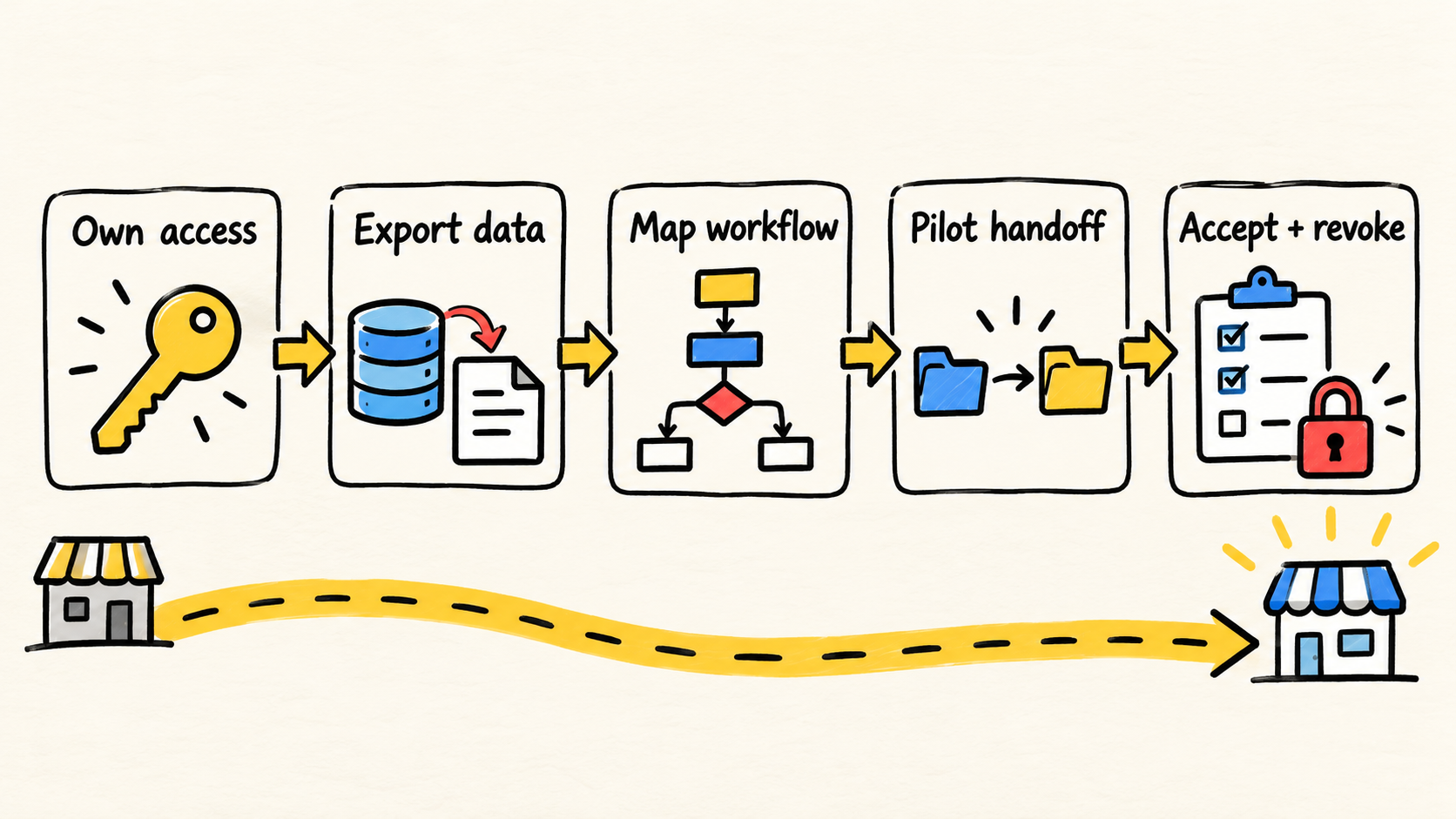
- who maintains the flow after delivery;
- how the business exports data, controls accounts, and changes providers.
The NIST guide on small-business cybersecurity teams recommends documenting objectives, obligations, assets, and dependencies before building a team or outsourcing a need (NIST, "Building Your Small Business' Cybersecurity Team: From In-House to Outsourcing", retrieved 2026-09-02). The guidance is about security, but the same discipline reduces the risk of an integration nobody can explain after delivery.
Success does not mean making CRM and inventory display the same number on every screen. It means explaining the difference from an order, a rule, and a timestamp. If nobody can do that, the business does not have a reliable integration, even when the sync button is green.
Frequently asked questions
Should the CRM control inventory?
There is no universal answer. The CRM may display availability and customer context, but the business must state which system calculates balances, reservations, and movements. A safe design gives each fact one clear owner and lets other screens show its origin without pretending to be independent authorities.
Why do sales and inventory disagree about a won order?
Because “won” may be a sales stage, while inventory waits for a confirmed order, payment, reservation, or picking. Trace the order through identifiers and timestamps. If the difference is expected, document the rule. If an event disappeared, investigate the handoff and exception before changing the report.
Does connecting CRM and inventory solve the problem?
It can reduce manual copying when definitions are already clear. It does not fix different product codes, ambiguous states, missing permissions, or a process that depends on messages outside the system. Assign ownership for each fact, test one complete order, and agree how failures will be seen and fixed.
When should I replace one of the systems?
Consider replacement when the tool cannot represent an essential state, cannot recover data, or requires a parallel spreadsheet for daily decisions. Before that, separate configuration, process, and integration problems. A replacement without a data map can carry the same disagreement into a new interface.
Conclusion
When CRM and inventory do not match, start with the order that caused the argument. Trace its identifiers, events, states, and timestamps. Then decide whether the cause was delay, a different definition, a broken identity, or a missing event.
Only then choose whether to improve the process, connect tools, or replace one. Different systems can have different roles. What cannot remain unclear is who decides, who corrects the data, and which number supports each decision.
Production note
Samuel Fajreldines is accountable for this article. The research used public documentation from Salesforce, Shopify, Stripe, and NIST, current search results, and open discussions among operators. AI assistance helped with discovery, source comparison, first drafting, localization, and image generation. No client process was tested, and no private metric or first-hand experience was invented.
Sources consulted
- Salesforce, "Track Your Open Deals with Opportunities", retrieved 2026-09-02.
- Shopify Help Center, "Setting up inventory for the first time", retrieved 2026-09-02.
- Stripe Documentation, "Balance summary report", retrieved 2026-09-02.
- Stripe Documentation, "Data reconciliation with Stripe reports", retrieved 2026-09-02.
- National Institute of Standards and Technology, "Building Your Small Business' Cybersecurity Team: From In-House to Outsourcing", retrieved 2026-09-02.