Open an empty terminal. By the end of this tutorial, that directory will contain a TypeScript MCP server that gives Claude Code and Codex access to CI evidence without granting broad file-system access. You will compile the project, call its tools through MCP Inspector, and connect the same process to both coding agents.
The example runs locally and only reads data. It queries a JSON file containing pipeline failures, validates every argument with Zod, and trims large responses before they fill the context window. The code stays small enough to understand but solves a real integration problem you can adapt to an internal API.
Tutorial outcome
- An stdio MCP server with two typed tools.
- Data restricted to one known file inside the workspace.
- Compact responses and errors an agent can interpret.
- Inspector verification before the server reaches an agent.
What you will build
The server reads .mcp-data/ci-failures.json and exposes two operations. consultar_falhas_ci filters a short list, while ler_falha_ci retrieves one record by ID. Neither tool writes files, runs a shell, or accepts an arbitrary path.
For example, ler_falha_ci rejects a malformed ID before it reads the file. Validation belongs at the tool boundary, not in the agent prompt.
That narrow surface is deliberate. MCP organizes integrations around tools, resources, and prompts, and the official tutorial uses the SDK to register tools with input schemas (Model Context Protocol, "Build an MCP server", retrieved July 23, 2026). A focused first server is easier to understand, test, and review for risk.
The request path is straightforward:
- The client starts the Node.js process over stdio.
- The server advertises its two tools.
- The agent sends arguments through the Zod schema.
- The handler reads the known file, reduces the result, and returns structured text.
- Inspector or the coding agent displays the response.
This tutorial puts the policy from MCP allowlists for coding agents into a small implementation you can run.
Before connecting more tools to the server, review how to write tool descriptions for AI agents. The transport and schema can be correct while the agent still lacks a clear reason to choose one operation over another.
Prerequisites
You need a maintained Node.js LTS release, npm, and a terminal. The code uses ESM modules and Node's built-in file API. Claude Code or Codex is useful for the last step, but Inspector lets you complete the full protocol test without either agent.
Check your environment:
node --version
npm --version
Create a disposable directory for the tutorial:
mkdir mcp-evidencias-ci
cd mcp-evidencias-ci
npm init -y
npm install @modelcontextprotocol/sdk zod
npm install --save-dev typescript @types/node
mkdir -p src .mcp-data
The official SDK changes along with the protocol. Before adapting this example for production, check the quickstart and release notes in the Model Context Protocol TypeScript SDK. This article does not claim one package version will remain current.
Configure TypeScript and the project scripts
Replace package.json with:
{
  "name": "mcp-evidencias-ci",
  "version": "1.0.0",
  "private": true,
  "type": "module",
  "scripts": {
    "build": "tsc",
    "start": "node build/index.js"
  },
  "dependencies": {
    "@modelcontextprotocol/sdk": "^1.0.0",
    "zod": "^3.0.0"
  },
  "devDependencies": {
    "@types/node": "^24.0.0",
    "typescript": "^5.0.0"
  }
}
Then create tsconfig.json:
{
  "compilerOptions": {
    "target": "ES2022",
    "module": "Node16",
    "moduleResolution": "Node16",
    "outDir": "build",
    "rootDir": "src",
    "strict": true,
    "esModuleInterop": true,
    "skipLibCheck": true,
    "forceConsistentCasingInFileNames": true
  },
  "include": ["src/**/*.ts"]
}
Run npm install again so the lockfile matches the edited manifest:
npm install
npm run build
The first build cannot find src/index.ts yet. That error is expected here. The next step creates the server.
Because this project runs directly in Node, the module pair matters. The guide on when to use NodeNext or Bundler in TypeScript explains why moduleResolution must match whoever loads the output.
If this server becomes one package in a monorepo, see how TypeScript Project References separate packages and keep type-check order explicit.
Create reproducible CI evidence
Save this data as .mcp-data/ci-failures.json:
[
  {
    "id": "ci-1042",
    "suite": "auth",
    "test": "session_contract",
    "file": "tests/auth/session_contract.test.ts",
    "message": "cookie de sessão ausente após renovação"
  },
  {
    "id": "ci-1043",
    "suite": "billing",
    "test": "webhook_idempotency",
    "file": "tests/billing/webhook_idempotency.test.ts",
    "message": "evento repetido criou uma segunda cobrança"
  }
]
The file stands in for an artifact your CI could produce after removing secrets and trimming logs. The server never receives its path in a tool call. It resolves one known location from MCP_WORKSPACE, removing a simple path-traversal opportunity.
Keep the artifact small in a real system. Claude Code warns when an MCP tool produces a large response and supports a configurable maximum (Claude Code Docs, "MCP output limits and warnings", retrieved July 23, 2026). Limiting data at the source is safer and cheaper than asking the client to trim it later.
Implement the TypeScript MCP server
Create src/index.ts with the complete server:
import { readFile } from "node:fs/promises";
import { resolve } from "node:path";
import { McpServer } from "@modelcontextprotocol/sdk/server/mcp.js";
import { StdioServerTransport } from "@modelcontextprotocol/sdk/server/stdio.js";
import { z } from "zod";

type CiFailure = {
  id: string;
  suite: string;
  test: string;
  file: string;
  message: string;
};

const workspace = resolve(process.env.MCP_WORKSPACE ?? process.cwd());
const dataFile = resolve(workspace, ".mcp-data", "ci-failures.json");

const server = new McpServer({
  name: "evidencias-ci",
  version: "1.0.0",
});

async function loadFailures(): Promise<CiFailure[]> {
  const raw = await readFile(dataFile, "utf8");
  const parsed: unknown = JSON.parse(raw);

  return z
    .array(
      z.object({
        id: z.string(),
        suite: z.string(),
        test: z.string(),
        file: z.string(),
        message: z.string(),
      }),
    )
    .parse(parsed);
}

function asText(value: unknown) {
  return {
    content: [
      {
        type: "text" as const,
        text: JSON.stringify(value, null, 2),
      },
    ],
  };
}

server.registerTool(
  "consultar_falhas_ci",
  {
    description:
      "Lista poucas falhas de CI por suite ou termo, sem executar comandos.",
    inputSchema: {
      termo: z.string().trim().max(80).optional(),
      limite: z.number().int().min(1).max(10).default(5),
    },
    annotations: {
      readOnlyHint: true,
      destructiveHint: false,
      idempotentHint: true,
      openWorldHint: false,
    },
  },
  async ({ termo, limite }) => {
    try {
      const failures = await loadFailures();
      const needle = termo?.toLocaleLowerCase("pt-BR");
      const selected = failures
        .filter((failure) => {
          if (!needle) return true;
          return [failure.id, failure.suite, failure.test, failure.message]
            .join(" ")
            .toLocaleLowerCase("pt-BR")
            .includes(needle);
        })
        .slice(0, limite);

      return asText({
        total_retornado: selected.length,
        falhas: selected,
      });
    } catch (error) {
      return {
        ...asText({
          erro: "nao_foi_possivel_ler_evidencias",
          detalhe: error instanceof Error ? error.message : "erro desconhecido",
        }),
        isError: true,
      };
    }
  },
);

server.registerTool(
  "ler_falha_ci",
  {
    description: "Lê uma falha de CI pelo identificador exato.",
    inputSchema: {
      id: z.string().regex(/^ci-[0-9]+$/),
    },
    annotations: {
      readOnlyHint: true,
      destructiveHint: false,
      idempotentHint: true,
      openWorldHint: false,
    },
  },
  async ({ id }) => {
    try {
      const failures = await loadFailures();
      const failure = failures.find((item) => item.id === id);

      if (!failure) {
        return {
          ...asText({ erro: "falha_nao_encontrada", id }),
          isError: true,
        };
      }

      return asText(failure);
    } catch (error) {
      return {
        ...asText({
          erro: "nao_foi_possivel_ler_evidencias",
          detalhe: error instanceof Error ? error.message : "erro desconhecido",
        }),
        isError: true,
      };
    }
  },
);

async function main() {
  const transport = new StdioServerTransport();
  await server.connect(transport);
  console.error("Servidor MCP de evidências de CI pronto em stdio");
}

main().catch((error) => {
  console.error(error);
  process.exit(1);
});
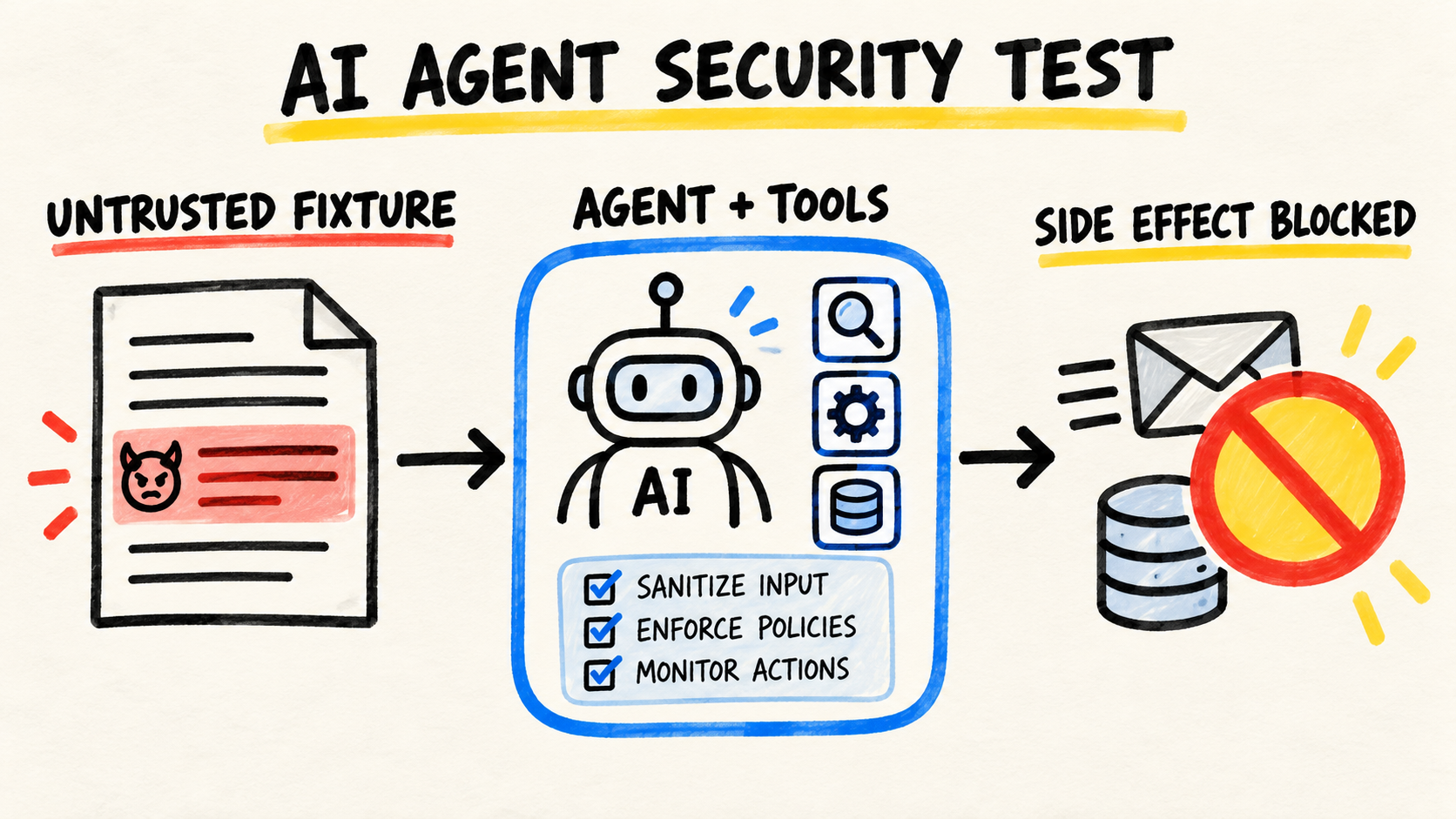
inputSchema stops the agent from sending arbitrary objects. The annotations state read-only intent, but they do not replace permissions in the client. The hard result limit prevents a broad query from dumping the whole artifact into context.
One detail matters for every stdio server: do not use console.log() for diagnostics. Stdout carries JSON-RPC messages, so extra text can corrupt the connection. The official tutorial directs server logs to stderr with console.error() (Model Context Protocol, "Logging in MCP Servers", retrieved July 23, 2026).
Compile and test with MCP Inspector
Compile the server:
npm run buildThe command should create build/index.js without TypeScript errors. Now start Inspector with an explicit workspace:
MCP_WORKSPACE="$PWD" npx @modelcontextprotocol/inspector node build/index.jsThe official documentation describes Inspector as an interactive tool for checking connections, capability negotiation, schemas, and tool execution (Model Context Protocol, "MCP Inspector", retrieved July 23, 2026). In the UI:
- Connect to the local process.
- Open the Tools tab.
- Select
consultar_falhas_ci. - Send
{"termo":"auth","limite":2}. - Confirm the response contains only
ci-1042. - Call
ler_falha_ciwith{"id":"ci-1043"}. - Try
{"id":"secret-file"}and confirm the schema rejects it.

Inspector belongs before the agent. If the tool fails in isolation, adding a model only makes the diagnosis more expensive and less deterministic.
Connect the server to Codex
Codex supports local stdio servers and shares MCP configuration between its CLI and IDE extension. The official docs let you add the process with codex mcp add or configure it in config.toml (OpenAI, "Model Context Protocol", retrieved July 23, 2026).
Run this from the project directory:
codex mcp add evidencias-ci \
  --env MCP_WORKSPACE="$PWD" \
  -- node "$PWD/build/index.js"
Verify the configuration:
codex mcp listIn Codex, open /mcp and confirm that both tools were discovered. Start with a narrow instruction: "Query the auth suite failures and do not change files."
For shared environments, project configuration can enable only the read tools and request approval by default. Current Codex configuration supports server-level and tool-level allowlists, denylists, and approval modes. Those controls provide another barrier beyond SDK annotations.
Connect the same server to Claude Code
Claude Code can also start local MCP servers over stdio. Its documentation recommends this transport for local scripts and tools, with local, project, and user scopes (Claude Code Docs, "Connect Claude Code to tools via MCP", retrieved July 23, 2026).
Add the server only to this project:
claude mcp add evidencias-ci \
  --transport stdio \
  --scope project \
  --env MCP_WORKSPACE="$PWD" \
  -- node "$PWD/build/index.js"
Then run:
claude mcp get evidencias-ci
claude mcp list
Open /mcp in Claude Code and check the connection. Project-scoped configurations require approval before use, which is appropriate for a server committed with a repository.
Long repair loops create a second problem: preserving useful evidence without sending the full history again. I use RemoteCode to extend Claude Code and Codex agentic workflows with less repeated context in that situation. It is my own tool, and the fit here is practical: compact MCP output and lower context repetition address the same cost from different sides.
Common errors and diagnosis
| Symptom | Likely cause | Fix |
|---|---|---|
spawn node ENOENT |
The client cannot find the executable. | Use the absolute path returned by which node. |
| The connection closes on startup | A log was written to stdout. | Replace console.log() with console.error(). |
| The server connects but exposes no tools | The build is stale or the client starts the wrong file. | Run npm run build and verify build/index.js. |
ENOENT during a tool call |
MCP_WORKSPACE points elsewhere. |
Add the server again with the correct absolute path. |
| Responses grow too large | The handler does not limit records or fields. | Keep a hard limit, trim fields, and paginate at the source. |
| Inspector works but the coding agent does not | Client configuration or policy blocks the server. | Check /mcp, codex mcp list, or claude --debug mcp. |
Claude Code's debugging guide identifies relative paths as a common configuration failure and recommends claude --debug mcp to inspect stderr (Claude Code Docs, "Debug your configuration", retrieved July 23, 2026). The same order helps with Codex: confirm the command, arguments, directory, and environment before blaming the model.
Record these events as part of coding-agent observability. Tool name, duration, response size, and error provide better evidence than an agent's free-form summary.
Limits before production
This project proves the local workflow. It does not implement authentication, multi-user isolation, rate limiting, persistent audit logs, or a remote transport. Do not publish the process to a network by simply replacing stdio with HTTP.
For a remote service, use Streamable HTTP, authenticate every client, validate audience and scope, apply timeouts, and keep read tools separate from mutations. Claude Code labels SSE as deprecated and recommends HTTP for current remote servers (Claude Code Docs, "Add a remote HTTP server", retrieved July 23, 2026). See how to host a remote MCP server in TypeScript with Streamable HTTP when the process must leave the workspace.
Do not treat annotations as access control. They describe behavior to the client. Authorization still belongs in the server and the agent policy. The next security layer is an MCP allowlist gate in CI.
If the use case grows into semantic repository search, do not expand this tool until it reads everything. Separate retrieval, reranking, and response budgeting as described in codebase RAG for coding agents.
Review the dependency tree and its security advisories before deployment. A clean TypeScript build proves type compatibility, not the absence of vulnerable transitive packages.
Verify the result
The tutorial worked when all of these checks pass:
npm run buildcompletes without an error.- Inspector discovers exactly two tools.
- Searching for
authreturns one failure. - An ID outside the accepted format is rejected by the schema.
- Codex or Claude Code reports the server as connected.
- No tool accepts a path, shell command, or write operation.
The same example was also verified without Inspector's interface. The code blocks were installed in a clean directory, compiled, and called by an MCP client over stdio. The client discovered both tools, and the auth query returned only ci-1042.
Ask the agent to explain one failure using only the MCP server, then compare its answer with the source JSON. That small eval checks an important property: the evidence stays faithful and the agent does not invent missing logs.
To make this check part of a pipeline, connect the tool call to PR evals for coding agents in CI. MCP supplies the evidence; the eval judges whether the agent used it correctly.
Frequently asked questions
Should I use stdio or Streamable HTTP?
Use stdio for a local server started by the client. Use Streamable HTTP when multiple clients need a remote service. Do not expose this local example without authentication, authorization, limits, and auditing.
Can I add a tool that fixes the failure?
Yes, but make it a separate tool with its own permission and approval rules. Keeping reads and mutations apart prevents an evidence query from inheriting the power to edit code or restart a pipeline.
Why use Inspector if the agent already lists the tools?
Inspector separates the protocol and handler from model behavior. It can validate schemas, invalid input, errors, and output repeatedly. That reduces the search space when the integration fails.
How do I stop an MCP server from consuming too much context?
Limit records and fields in the server, provide explicit filters, and paginate large sets. A context budget for coding agents helps measure the combined cost of tools, instructions, and history.