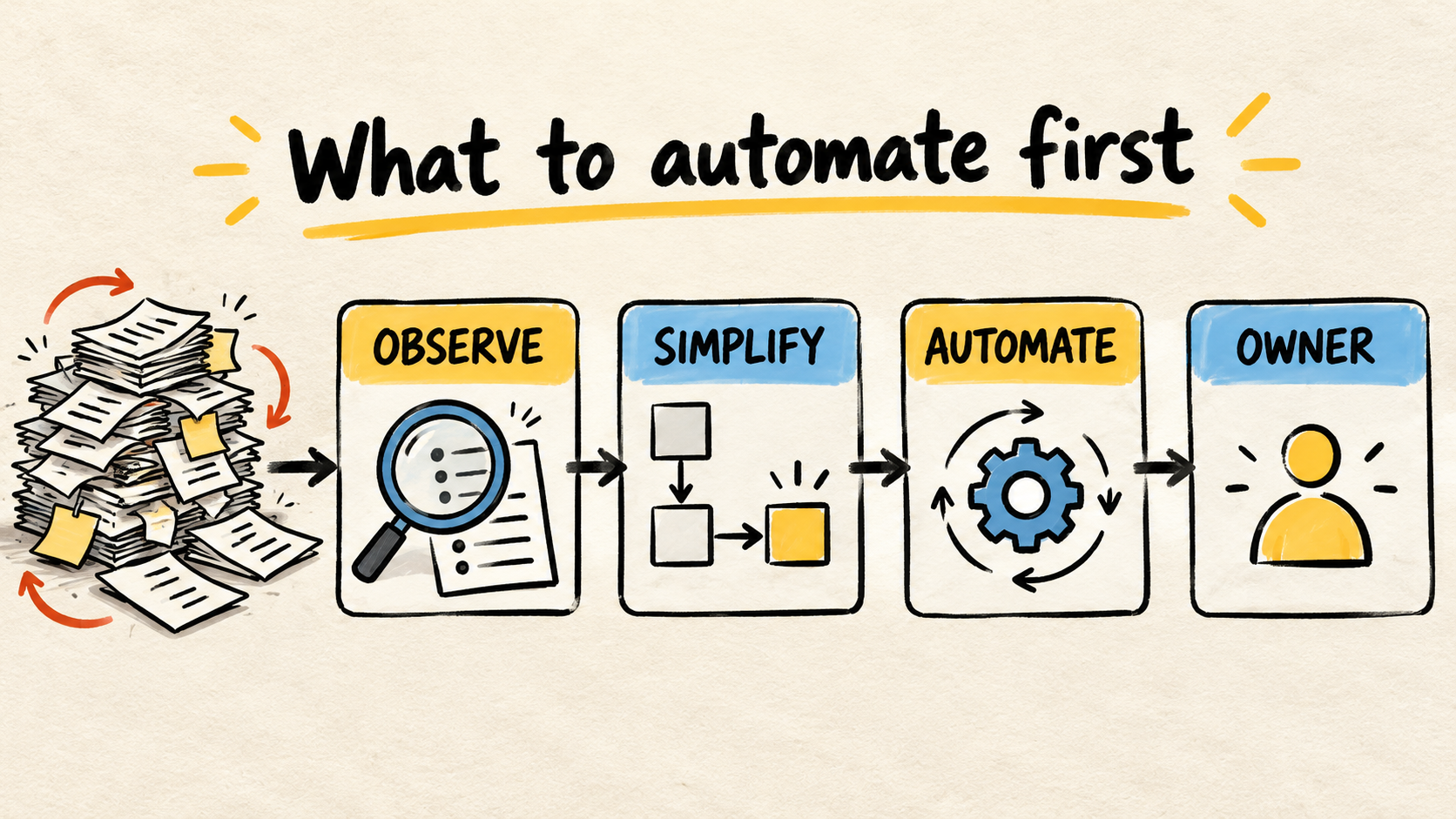
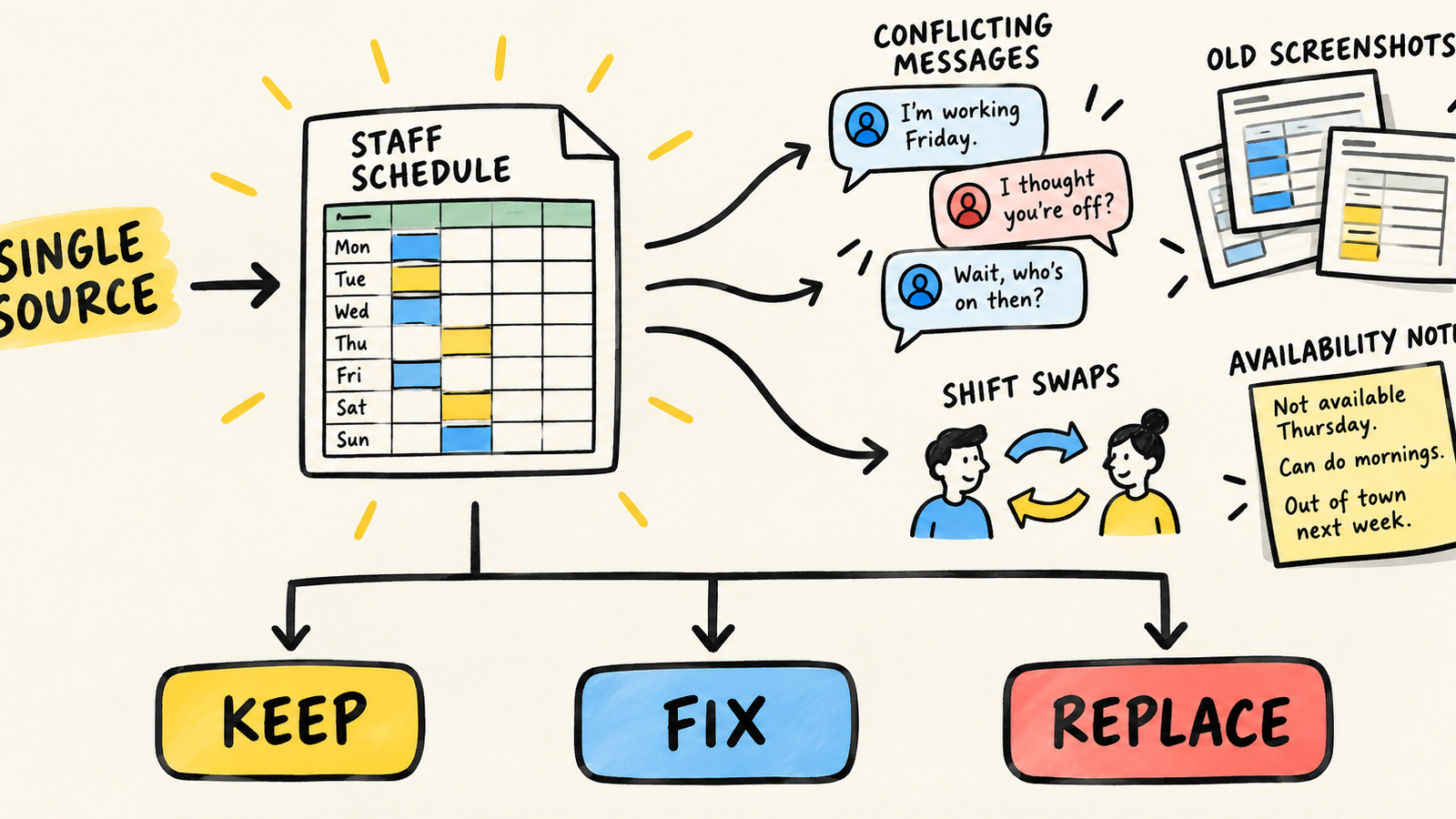
Every week, someone opens the employee scheduling spreadsheet, receives a message saying someone is unavailable, and publishes another version. Then an old screenshot appears, someone asks for a shift swap, and the question becomes: “Which schedule is the right one?” The problem is no longer filling cells. It is keeping one trustworthy version while the operation changes.
A spreadsheet still works when the routine is predictable, there is one source of truth, one person can review changes, and everyone can find the current version. Consider a different system when availability, time off, swaps, notifications, and exceptions need ongoing coordination that the current process cannot reliably provide.
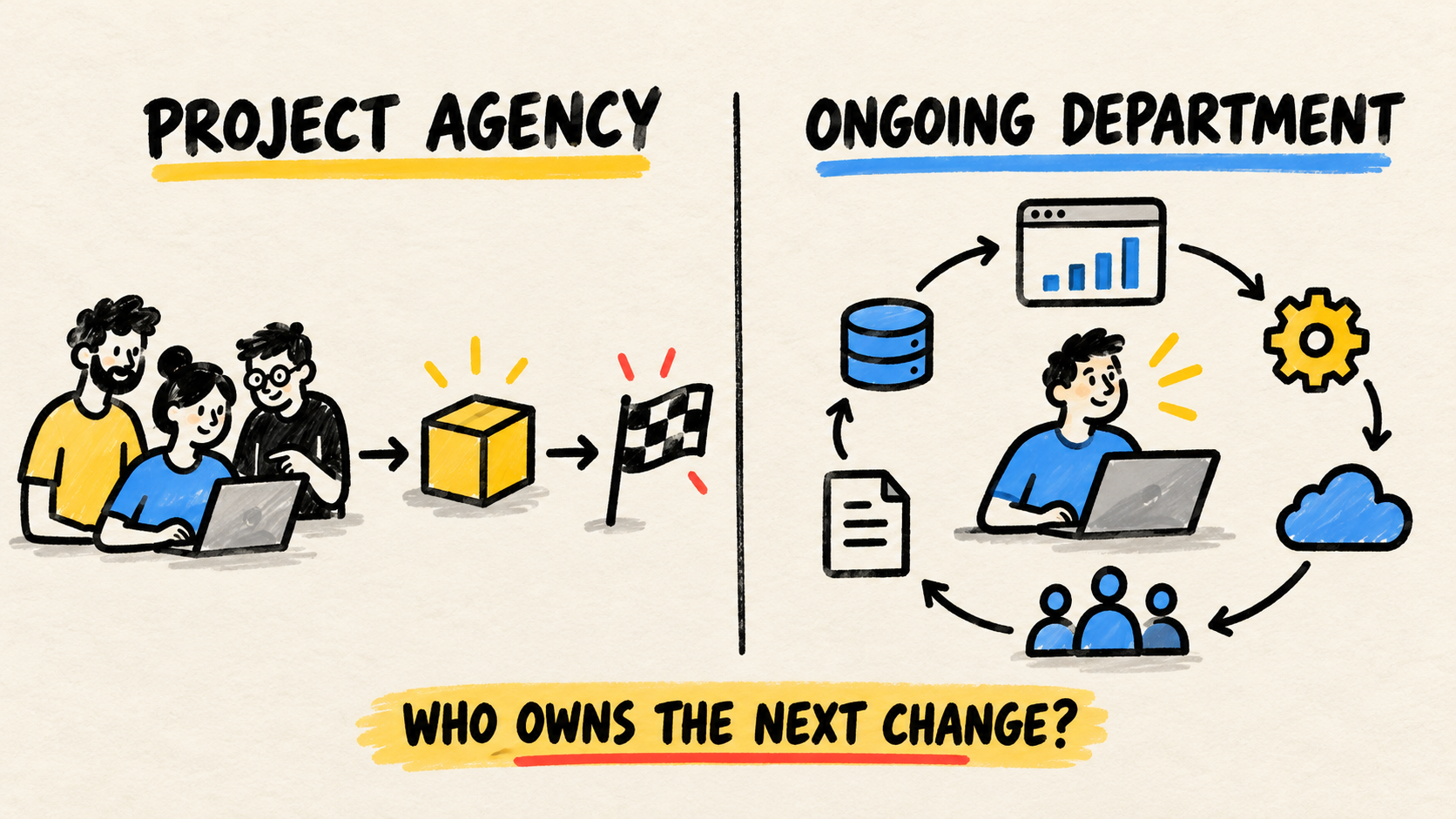
If your business needs ongoing ownership for the software running the operation, this decision also needs to name who maintains the schedule, access, and rules after the change. Buying a new screen without an owner only moves the confusion.
The short answer
- Keep the spreadsheet if the schedule is stable, has one source, and can be checked without extraordinary effort.
- Fix the process if the problem is version control, permissions, formulas, or one missing rule.
- Replace it when availability, swaps, multiple locations, or live communication require manual coordination.
- Do not use a fixed employee count as the trigger. Use the work the schedule creates and the risk of wrong information.
When does a scheduling spreadsheet still work?
A spreadsheet is not automatically a bad solution. It can fit a team with predictable hours, few changes, and one person responsible for reviewing and publishing the schedule.
Ask:
- Does everyone know where the current schedule lives?
- Is someone responsible for approving changes and resolving conflicts?
- Does availability arrive through a path that can be checked?
- Does the published schedule show the period, location, and last update?
- Could a second person understand and correct the file?
If the answers are yes, the spreadsheet may remain the smallest workable path. There is no value in changing tools just because another one has a nicer interface. The test is whether the process produces a correct, understandable schedule with the effort the business can sustain.
Excel supports co-authoring and version history under particular account, storage, and product-version conditions (Microsoft, “Collaborate on Excel workbooks at the same time with co-authoring”, retrieved September 12, 2026). That can reduce the problem of emailing attachments, but it does not create an approval rule, a swap window, or a notification for the person who needs to act.
What signs show that the schedule has become an operational problem?
Look for patterns in the team’s work, not just defects in the file’s appearance. One sign may be fixed with a convention. Several together mean the schedule is acting like an improvised system.
There are several “correct” schedules
A copy in a group chat, another on the manager’s computer, and a printed version at the workplace create different versions of the same commitment. If someone has to ask which file counts, the process no longer has a clear source.
Availability lives outside the schedule
Time off, restrictions, and preferences arrive as loose messages. The scheduler has to remember the content, interpret shorthand, and check whether an old change still applies. The information may be recorded, but it is not where the decision happens.
Every swap needs an intermediary
One person agrees to the swap, another edits the spreadsheet, and a third has to be notified. The swap has no visible state: proposed, approved, published, or cancelled. Someone can therefore act on a decision that was never confirmed.
A scheduling error affects the operation immediately
An overlap, absence, or wrong location can leave a gap, delay service, or force the team to repeat the communication. You do not need an invented number to take the problem seriously. Record real incidents and see whether they recur.
Only one person can explain the rules
If the schedule depends on hidden formulas, unlabeled colors, or knowledge that was never written down, the business has an operational dependency. That person’s vacation or departure can turn a weekly task into an emergency.
The business now has different locations or teams
More than one location, role, or coverage rule makes review harder. The issue is not nominal headcount; it is the number of combinations that must be considered before publishing a decision.
What should you fix before replacing the tool?
Before buying or building anything, run a process test with the current spreadsheet. The goal is to learn whether the pain comes from the tool or from missing operating agreements.
- Choose one source. Decide where the official schedule lives and remove old copies from the channels people use for reference.
- Name the owner. This person does not have to do everything, but must know who approves, publishes, and resolves a conflict.
- Separate input from publication. Availability and a swap request are inputs; the approved schedule is an output. A message is not automatically a final decision.
- Record the last change. Include the period, location, author, and reason when a change can affect other people.
- Make rules visible. Explain colors, abbreviations, limits, and what happens when two requests conflict.
Worksheet protection can prevent accidental edits to cells, but Microsoft says that worksheet protection is not intended to be treated as a security feature (Microsoft, “Protect a worksheet”, retrieved September 12, 2026). Locking a formula therefore does not solve unauthorized file access or decide who may see employee data.
A study of operational spreadsheets also shows why review, controls, and ownership matter when a file supports business decisions (Powell, Lawson, and Baker, “Impact of Errors in Operational Spreadsheets”, retrieved September 12, 2026). The study does not measure employee schedules or provide a universal replacement threshold; it is a warning against treating an operational spreadsheet as if it were only a document.
The guide to when an inventory spreadsheet should be replaced uses the same separation between tool, process, and ownership for another business workflow. If the schedule must exchange data with sales, time tracking, or finance, read the diagnosis of business systems that do not talk to each other too.
When is it time to choose another system?
Use this sequence to separate three kinds of decision:
| What you observe | Next step | Evidence that confirms it |
|---|---|---|
| The schedule is stable and everyone checks the same version | Keep the spreadsheet | A normal review does not depend on parallel messages |
| The file works, but versions, formulas, or rules cause confusion | Fix the process | Someone else can build and check the next period |
| Availability, swaps, publishing, and notices require daily coordination | Replace the spreadsheet | The process still fails after one source and one owner are in place |
The change point appears when coordinating the spreadsheet becomes the main job of the person who builds the schedule. Consider another system if it can represent, and let you verify:
- availability and restrictions for each employee;
- proposed, approved, published, and cancelled swap states;
- coverage by role, location, and period;
- notices for people who must confirm a change;
- a history of who changed what and when;
- appropriate permissions for employees, managers, and administrators;
- a manual fallback for when the system is unavailable.
Do not accept these items only in a product demo. Walk through a real case: a late availability change, a swap between two employees, and an edit after publication. The system should make clear what happened and who still needs to act.
How do you choose without buying the same confusion in another screen?
Write down the rules before comparing products. A list of screens does not describe the problem; a sequence of decisions does.
For each event, record:
- who provides the information;
- the starting state and possible next states;
- who can change or approve it;
- who needs to be notified;
- which record is the official source;
- what happens when the rule does not apply;
- who corrects the data and who answers questions;
- how to export the schedule and continue during an outage.
Then test the option during a real scheduling period with people who have different routines and levels of comfort with software. See whether someone can find the current schedule, request a swap, confirm a change, and discover who made the decision. A tool that works only with the manager standing beside it has not removed the dependency; it has hidden it.
A vendor may provide convenient notifications and screens, but the business must still maintain accounts, permissions, integrations, data, and rules. The guide to who maintains software after launch turns that responsibility into practical hiring questions.
How can you transition without losing the operation?
Do not shut off the spreadsheet in the middle of a week without agreeing on what counts. Make the transition small and observable:
- choose one period or team for the first test;
- record the current schedule and exceptions already agreed;
- set the date when the new system becomes the official source;
- tell everyone where to find the current version and how to get help;
- keep a recovery copy without continuing to publish in two places;
- review conflicts, unconfirmed swaps, and questions that appear;
- document how to return to a safe process if the new one fails.
Avoid two official sources indefinitely. Comparing them can help during migration checking, but two published schedules preserve the exact uncertainty that caused the change.
Frequently asked questions
Is there an employee count that means a business must abandon its spreadsheet?
No. The trigger depends on changes, locations, rules, risk, and coordination work. A larger team can have a simple routine; a smaller team can have many shifts and exceptions. Measure the real process.
Is an employee scheduling spreadsheet always unsafe?
No. Risk depends on the data, access, copies, and operating rules. Cell protection may prevent an accidental edit, but it does not replace account controls, permissions, backups, or an owner who reviews the file.
Should I build a custom scheduling system?
Only after describing the process and checking what current tools can already do. A custom solution may fit when the operation’s rules must connect to other systems and available options force manual copies. It also creates ongoing maintenance; it does not remove that responsibility.
Conclusion
Replace the scheduling spreadsheet when it stops being an understandable source and starts requiring one person to reconcile messages, versions, time off, and swaps. Before then, try one source, visible rules, history, and a named owner.
If the process still fails, choose a system that represents the operation’s real decisions and test it through a real scheduling period. The goal is not another screen. It is a current schedule, changes with context, and a clear person to contact when something goes off plan.
Production note
Samuel Fajreldines is responsible for this article’s editorial direction. The research combined current search results, public Microsoft documentation, a study of operational spreadsheets, and public operator discussions. AI assistance helped with discovery, source comparison, first drafting, image creation, translation, and consistency review. There was no client-company test, original benchmark, or invented case study; these recommendations are a decision model, not a universal threshold.
Sources consulted
- Microsoft, “Collaborate on Excel workbooks at the same time with co-authoring”, retrieved September 12, 2026.
- Microsoft, “Protect a worksheet”, retrieved September 12, 2026.
- Powell, Lawson, and Baker, “Impact of Errors in Operational Spreadsheets”, retrieved September 12, 2026.