You copy the same order into two places, remind someone to send a document, and answer another status question about work that should already be visible. When someone suggests automation, the conversation often starts with a product. The more useful question comes first: which process deserves attention before you buy anything?
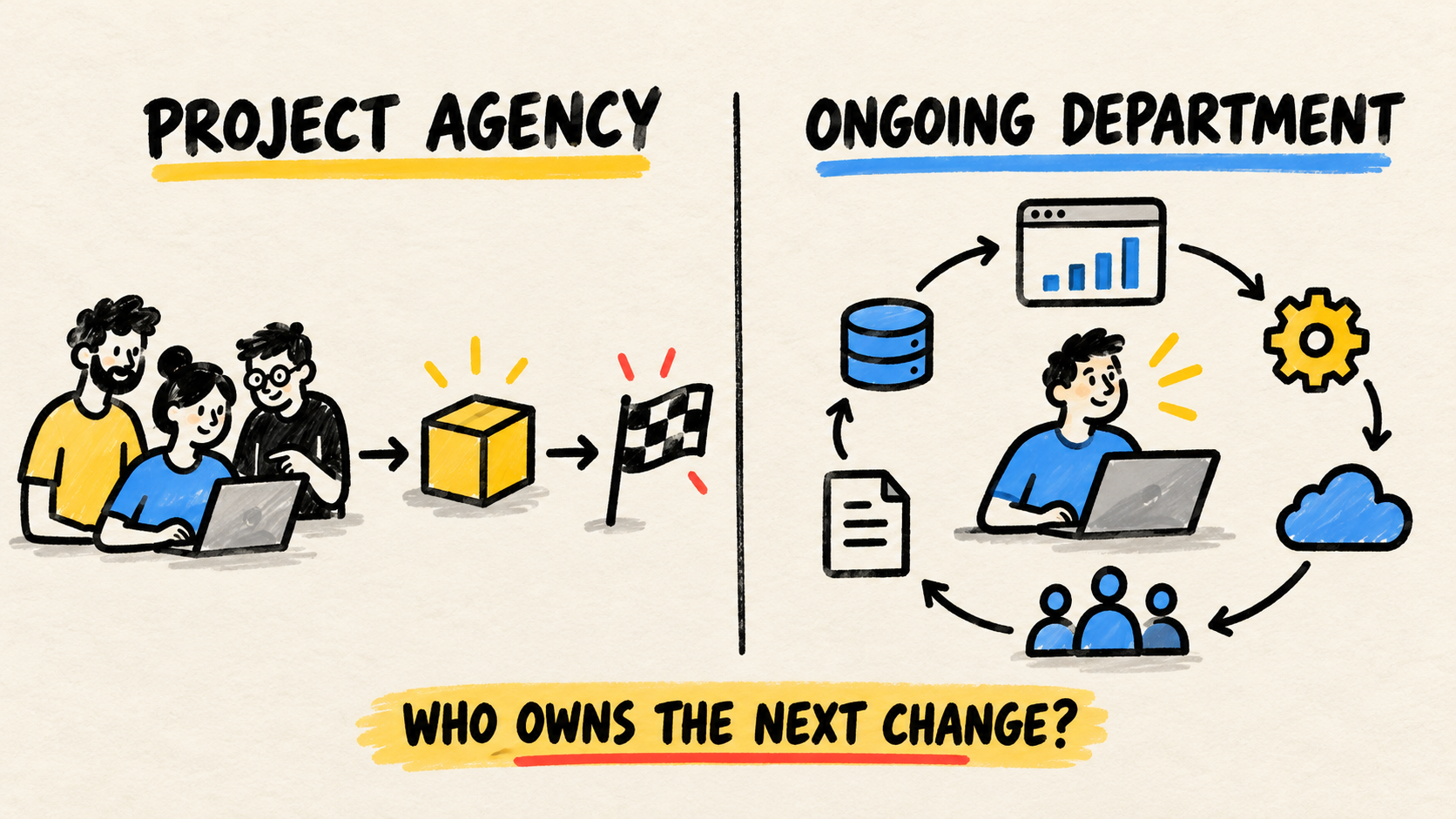
For a small business, start with work that repeats, has a normal path the team can explain, and ends with a result someone can check. Before choosing a tool, give continuous ownership for the operation's software to a person or accountable partner. Without that responsibility, a first automation can work for a few weeks and then become another manual task.
Short answer
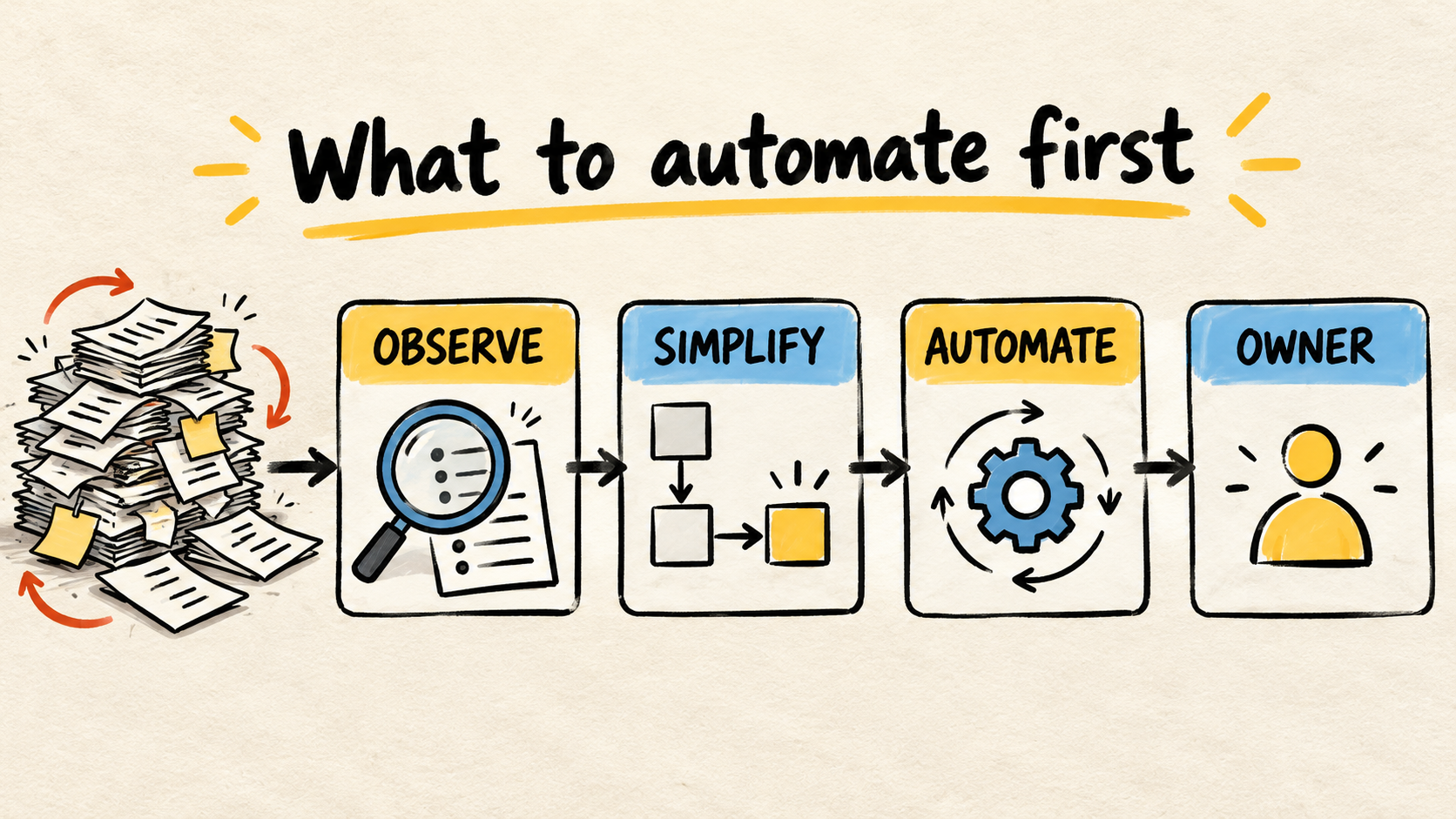
- Choose one recurring workflow, not a list of tools.
- Follow one real case from start to finish and mark copies, waits, decisions, and exceptions.
- Simplify the rule when the process is still changing or nobody knows which version applies.
- Buy or configure a common capability, connect systems that already work, or build one narrow part when each option solves a different problem.
- Decide who reviews the result and what happens when the workflow fails.
What makes a process a good first candidate?
The best first candidate is not necessarily the task that annoys people most. It is work that appears often enough to observe, has an understandable normal path, and can be corrected without putting the whole business at risk. A small, reviewable process teaches you more than a project that tries to reorganize every department at once.
Use these questions to compare two or three possible workflows:
| Question | Favorable signal | Reason to wait |
|---|---|---|
| Does the work repeat? | The team handles the same handoff often and can point to recent cases. | It happens rarely or changes completely each time. |
| Is the normal path known? | People agree on the start, end, and next step. | Each person follows a different rule or relies on one person's memory. |
| Are the inputs available? | The data arrives in a form someone can check. | Important information lives in conversations, personal files, or incomplete fields. |
| Can someone review the result? | A person can notice a wrong output before it causes harm. | An error can stay silent for days or reach a customer without review. |
| Is there an owner? | Someone can approve the change and care for the workflow afterward. | Everyone uses the process, but nobody decides when it needs to change. |
This is a decision filter, not a scientific score. It keeps a flashy task from winning priority simply because it uses new technology. The first automation needs to fit the operating capacity the business has now.
In its recovery-planning section, the U.S. Small Business Administration's guidance on managing a business recommends identifying and documenting critical functions and processes. The same page advises reviewing operations and putting recurring benefits and costs into context. The practical lesson is simple: find the work that actually burdens the operation before hiring a solution.
How should you observe a task before automating it?
Choose a recent order, support request, payment follow-up, approval, or status update. Follow that case without relying only on the official procedure. The person doing the work knows where the real path differs from the diagram.
Record five things:
- Where the work starts. Is it a form, call, email, sale, or message received by one person?
- Where information gets copied. Mark every handoff between a spreadsheet, system, message, document, or memory.
- Where someone waits. Note an approval, reply, check, lookup, or return that leaves the case idle.
- Where the path changes. Record the exception: missing data, changed request, late customer, unavailable item, or rule that does not fit the normal flow.
- Where the work ends. Define the result that proves the case left the queue and who can confirm it.
Microsoft's documentation on visualizing processes in Power Automate, consulted on October 24, 2026, describes maps with variants, activity frequency, and the time between a case's first and last event. You do not need that product to use the idea. A sheet of paper, a simple table, or a walk-through with the operator can also show where the normal path breaks.
Do not watch only the longest task. A two-minute handoff can be the step that forces someone to check three systems later. Look at the whole flow, its waits, and the rework it leaves for the next person.
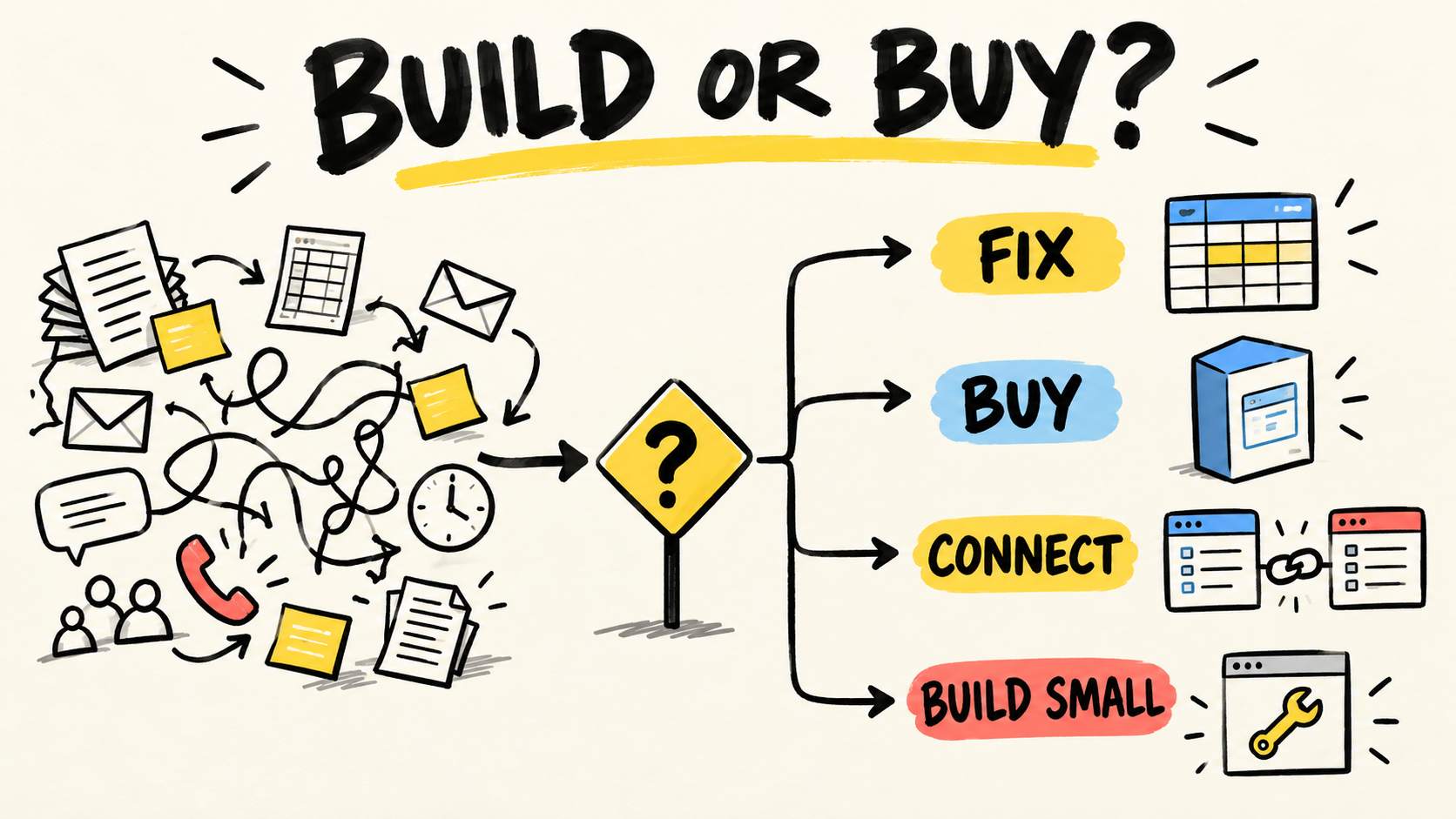
Should the first move be fix, buy, connect, or build?
Automation is not a binary choice between doing everything manually and building software. After you observe the process, choose the smallest move that addresses the problem you found.
Fix the process
Fix the process before automating it when the rule changes from person to person, when the start and end are unclear, or when the same case receives different answers. Remove an unnecessary approval, define what each field means, choose a source of truth, and write down the normal path.
An unclear process that gets automated only produces confusion with less human effort. If the business is still debating which date, price, status, or owner is correct, the next job is to make that decision. Do not use a new screen to hide an unresolved business rule.
Buy or configure an existing capability
Buy or configure when the need is common, the product already supports the flow, and the team can test it with real data. Scheduling, reminders, forms, invoices, or service stages may fit a product the business already uses or can adopt without creating a dependency nobody can explain.
Before signing, run a normal case and an exception through the demonstration. Ask how the team corrects an error, exports data, revokes access, and learns that a run failed. A ready-made feature is simple only when the operation can maintain it.
Connect systems that already work
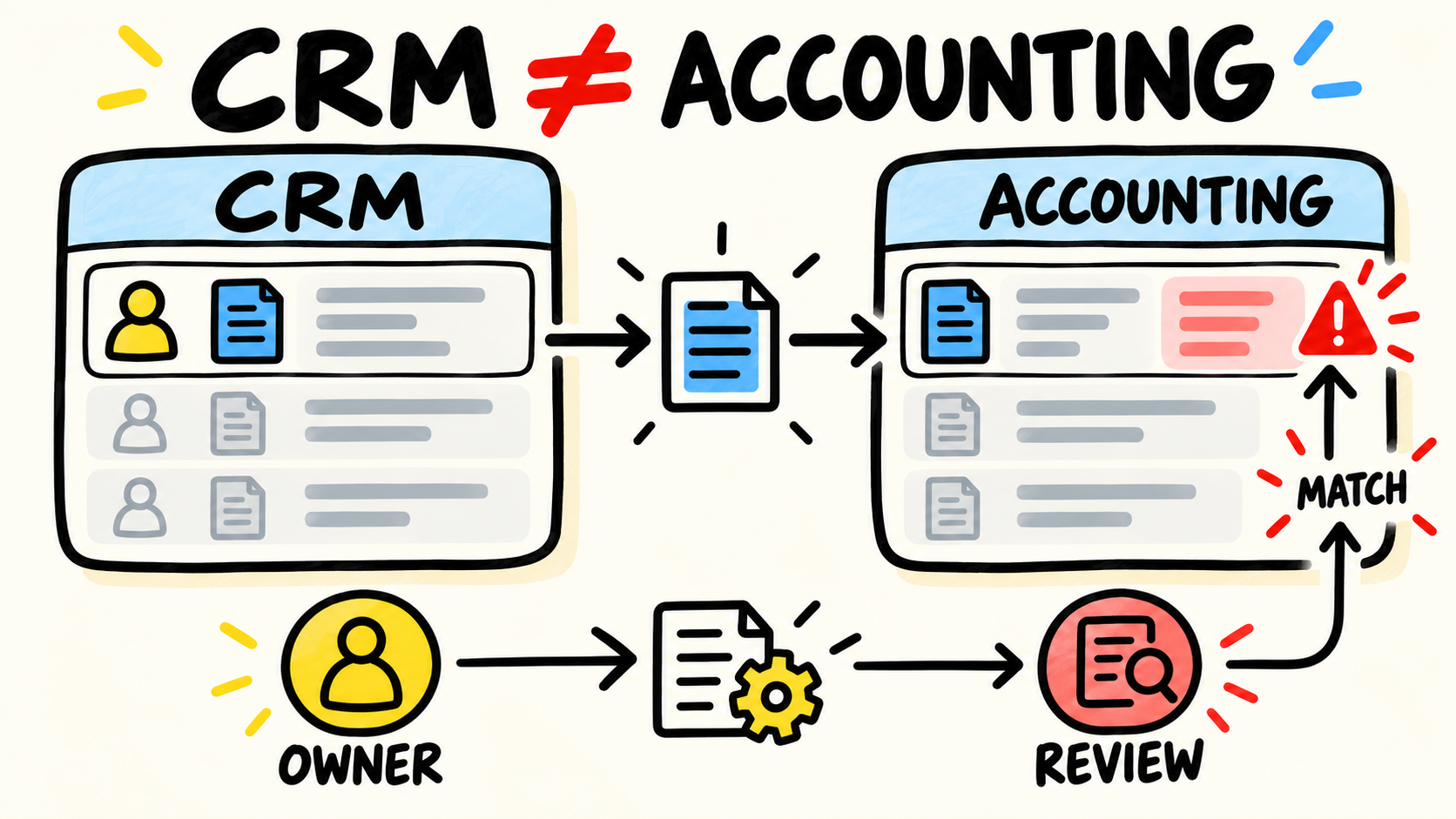
Connect when each system is acceptable on its own but someone retypes the same information between them. An order may start in sales, become work for service, and produce an invoice somewhere else. The question is not which tool to replace first. It is where each fact should be created, who can change it, and how the handoff will be confirmed.
The guide to diagnosing disconnected business systems helps locate copies, split responsibility, and information that has lost its owner. If the problem is a handoff between systems, an integration may be smaller and easier to reverse than replacing the entire operation.
Build one small capability
Build a specific capability when the workflow contains an important business rule, the need matters, and existing options force the team to keep fragile shortcuts or copies. Start with one part: receiving a request, checking a condition, recording a decision, or showing a state nobody can currently see.
The scope needs a start, end, required data, fallback, and owner. The guide to deciding whether to fix, buy, connect, or build helps make that choice without turning "build" into the automatic answer to every frustration.
When should a business wait before automating?
Delay automation when one of these signals appears:
- The rule is changing because of a new policy, product, or way of serving customers.
- Nobody can say which source contains the correct data.
- Exceptions are more common than the normal path.
- The work has a financial or external effect and nobody will review the output.
- The business does not know who will be alerted when the workflow stops.
- The team wants automation because the task is annoying but cannot say which result should improve.
- A product the business already pays for may solve the case, but nobody has checked how to configure it.
This does not mean leaving everything manual. It means separating a process change from a tool change. A checklist, better intake form, owner for the current version, or clear entry rule may remove the problem before an integration is needed.
Microsoft's guidance on identifying automation opportunities, consulted on October 24, 2026, ties recommendations to activities in a mapped process. The order matters: see the activity first, then decide whether it deserves automation. A product recommendation does not replace a business decision.
How do you choose a first scope the team can maintain?
Write the first version on one page. It should answer:
- What event starts the work?
- What result closes the case?
- Which data must be present?
- Which decisions stay with a person?
- What happens when data is missing or a step fails?
- Who can fix the workflow and who receives the alert?
- When will the business review whether the change helped?
Keep the boundary small. Instead of "automate customer service," start with "record each request, route known types, and leave exceptions in a queue for a person to review." Instead of "integrate sales and finance," start with "pass an approved sale with an identifier and show when the handoff fails."
The UK Department for Education's business process notation standard, consulted on October 24, 2026, asks process descriptions to make the start, end, actors, decisions, tasks, and outcomes visible. For a small business, that is also a scope test: if you cannot explain who does what and what proves the end, a decision is still missing.
Pair the first delivery with an exit condition. The business might decide that the first phase ends when the normal case passes without retyping and every exception reaches a known person. If the result is not enough, review the process before adding more features. If it is enough, the owner has a basis for choosing the next step.
The guide to who maintains business software after launch covers access, maintenance, changes, and transition. The rule here comes earlier: do not approve the first automation without knowing who will remain accountable for the result.
Checklist for deciding today
Choose one process and answer:
- Can I follow a real case from start to finish?
- Do I know where the team copies, waits, and decides?
- Can I separate the normal path from exceptions?
- Do I know which system, file, or person is the source for each fact?
- Is there a reversible first scope or a human review for the result?
- Does one person have authority to approve changes and receive failures?
- Do I know whether the next move is fix, buy, connect, or build?
- Can I describe the exit condition without promising savings I have not measured?
If the answers are vague, the first project is to observe and organize the process. If the normal path is clear, start with the repeated part that can be checked. If the systems already handle their parts, connect the handoff. If no existing option represents an important business rule, build only that capability, with an owner from the first day.
Frequently asked questions
What should a small business automate first?
Start with recurring work that has understandable steps, available inputs, tolerable risk, and an owner who can review the result. The best candidate might be a reminder, data handoff, form, or status update. The exact task depends on the operation; a universal list hides the process that needs to be observed.
Should I automate the task that takes the most time?
Not always. A long task that happens rarely may be a weaker candidate than a short handoff that repeats and creates rework for several people. Observe the whole flow: frequency, waiting, copies, errors, exceptions, and customer impact. Then compare the work involved with the capacity to maintain the change.
Does every automation need artificial intelligence?
No. A form, rule, notification, or integration can handle a predictable path. Use a more flexible technique only when the process needs to interpret changing information and the business knows how to review mistakes. Starting with the need avoids buying complexity for a simple rule.
Who should own an automation after it goes live?
A person or accountable partner needs to own access, data, changes, alerts, and recovery when the workflow fails. That does not mean doing every step. It means knowing what result should occur, noticing exceptions, and deciding what to change next.
Conclusion
A small business's first automation does not need to be the newest or most complex. Choose a recurring workflow, follow a real case, separate the normal path from exceptions, and give someone responsibility for checking the result.
Then choose the smallest move: fix the rule, configure a capability, connect systems, or build one specific part. If nobody can explain the process or own the failure, it is not ready for automation. That pause does not hold the business back. It keeps the business from buying a second layer to hide the first confusion.
How this article was produced
Samuel Fajreldines is responsible for this article. The research combined current search results, public guidance from the U.S. Small Business Administration, Microsoft Learn, and the UK Department for Education, plus public discussions from operators. This is a decision synthesis, not a benchmark, measured savings report, client test, or invented case study.
AI assistance supported source discovery, comparison, organization, first drafting, localization, image generation, and consistency review. It did not operate a client workflow, measure an outcome, interview a business owner, or supply experience the author has not demonstrated.
Sources consulted
- U.S. Small Business Administration, "Manage your business", consulted October 24, 2026.
- Microsoft Learn, "Visualize processes", consulted October 24, 2026.
- Microsoft Learn, "Identify automation opportunities", consulted October 24, 2026.
- UK Department for Education, "Business Process Notation", consulted October 24, 2026.