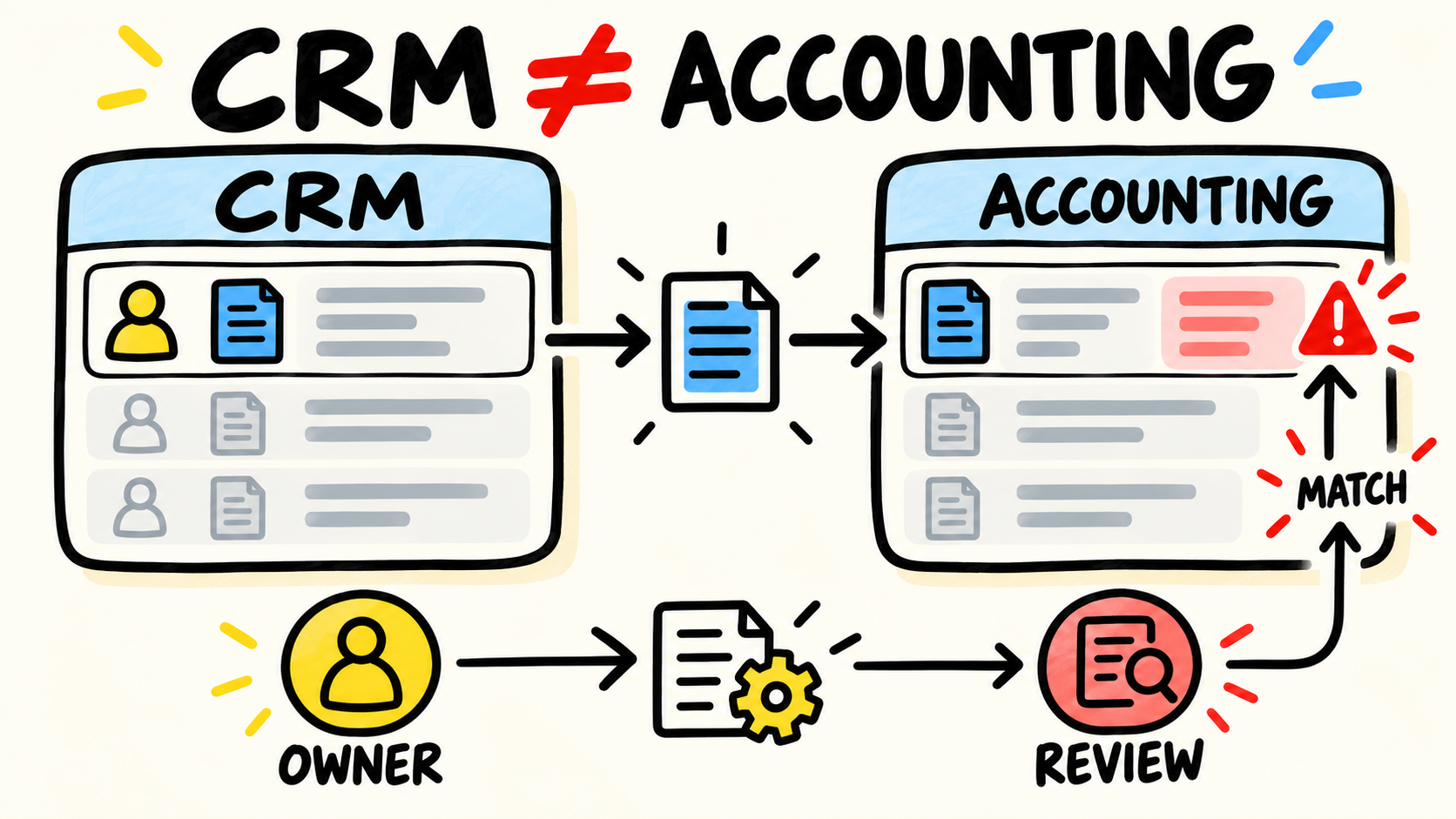
The spreadsheet has become a rule, the CRM holds part of the order, and accounting receives another version. When someone suggests buying a system or building custom software, the conversation usually starts with the tool. The harder question is what work actually needs to change.
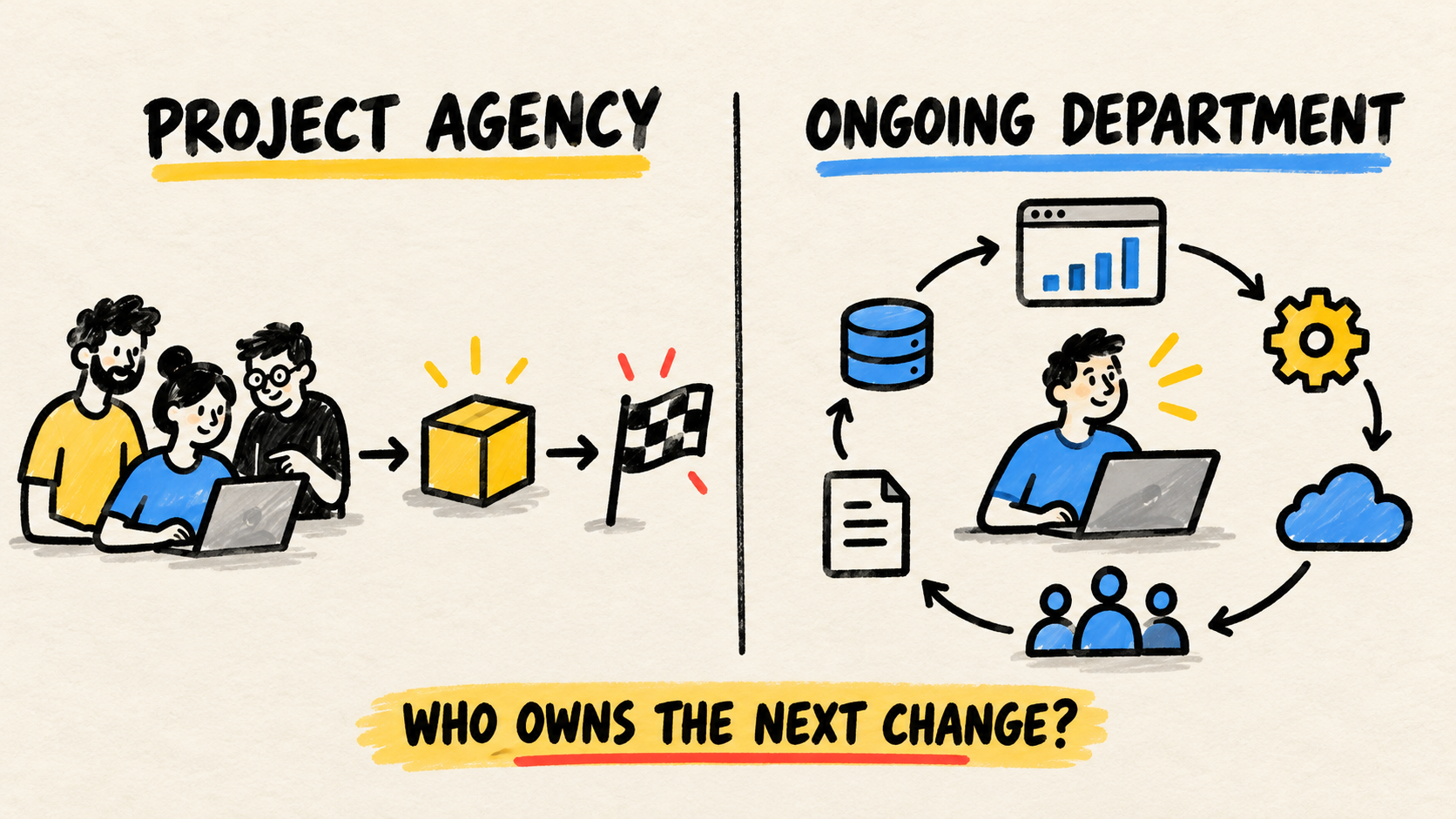
The short answer is this: buy common capabilities, connect systems that already handle useful parts, build only the piece that is genuinely specific, and fix the process when nobody can explain the rule. Before you hire anyone, define accountable ownership for the software running the business, its access, and its next changes.
There is no single answer for the whole business. The same company can buy accounting software, connect orders to inventory, and build a small screen for a pricing rule that no product represents well. Decide by workflow, not by excitement about a platform.
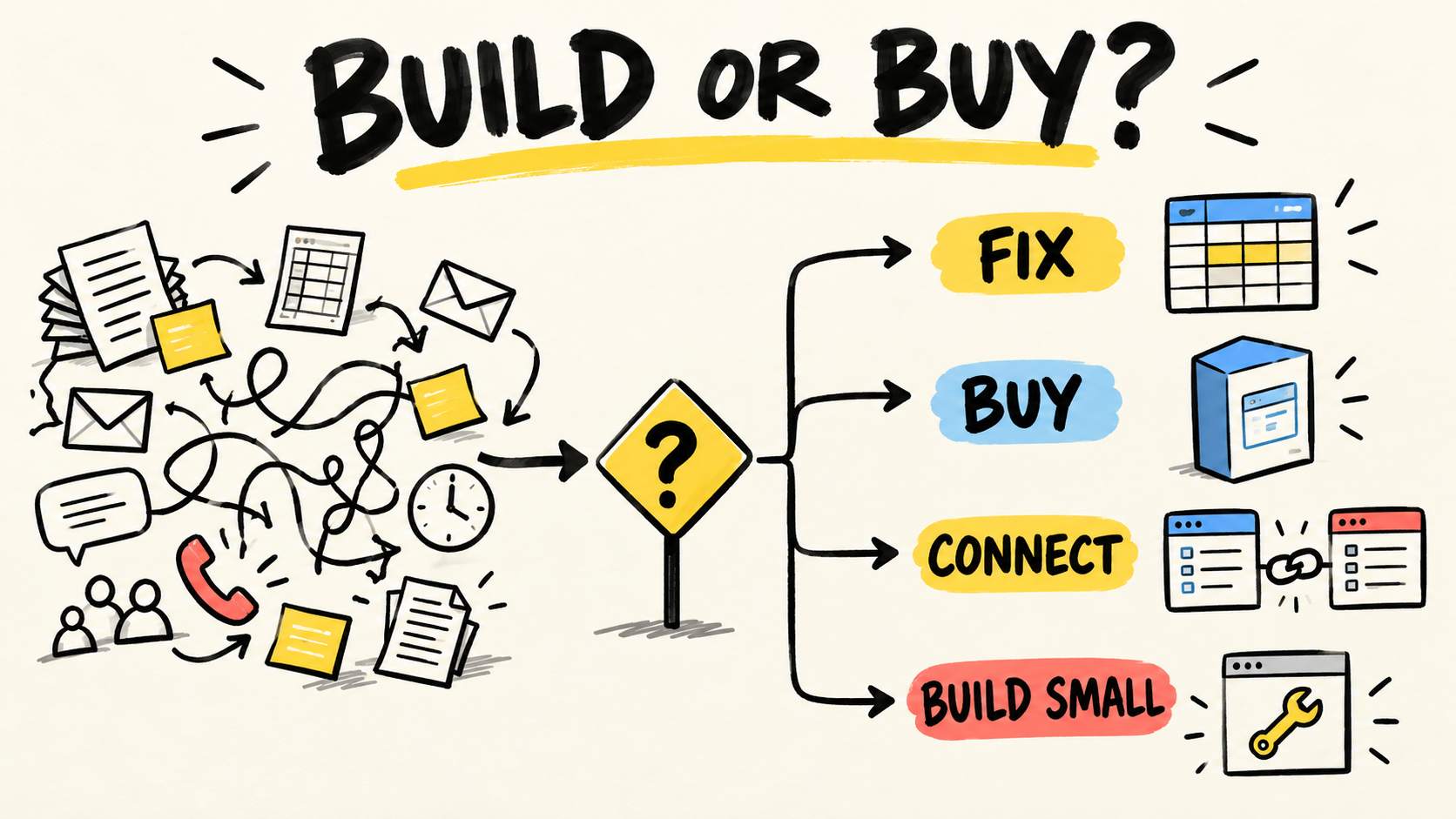
Short answer
- Fix the process first when the rule changes by person or nobody knows who approves it.
- Buy ready-made software for a common function with a stable workflow and acceptable support.
- Connect tools when they work on their own but someone keeps copying the same information.
- Build a small piece when the workflow is specific and that difference matters to the business.
- For every option, keep data, access, and maintenance under a named responsibility.
What problem are you actually trying to solve?
A request for "a better system" is not a purchase description. Write down the workflow that is failing: who starts it, what information enters, where someone decides, what output must exist, and what happens when an exception appears.
If the team cannot agree on the process, new software will freeze an incomplete argument into a screen. Follow one real operation, such as an order, quote, inventory receipt, or approval. Mark every copy, wait, rework, manual check, and place where the meaning of the information changes.
This also prevents a process problem from being mistaken for an integration problem. The guide to why business systems do not talk to each other helps locate where information stops. This article focuses on the decision that follows the map.
When should you buy ready-made software?
Ready-made software is usually the best first option when the function is common, the process is understood, and the business needs to operate soon. Accounting, e-signatures, scheduling, payroll, and routine administration do not need to be different just because the business is different.
Buy when the team can accept the product's main workflow without creating a collection of exceptions. Before signing, test the normal case, a correction, and an exit path. Confirm how the business can export its data, recover the account, limit access, and get help when operations stop.
The Federal Trade Commission's guidance for small-business cybersecurity, retrieved October 21, 2026, recommends keeping an inventory of software, data, and services, assessing vendor risk, and writing rules for access, data handling, and deletion into contracts. That applies to a simple subscription and to a system that runs daily operations.
Ready-made software stops being a simple purchase when the team pays for workarounds, maintains parallel spreadsheets, and explains the same exception at every renewal. Do not jump straight to custom development. First measure what the workaround costs and whether another product or an integration would solve it.
When should you connect the tools you already have?
Connect systems when each one does a useful job but work stops between them. The CRM can organize customer information, accounting can issue invoices, and inventory can track availability. If a person retypes the same order in all three, the failure is in the handoff.
Start with one flow. Record which system owns each fact, what event starts the next step, who corrects an error, and how anyone knows the transfer failed. An integration without an owner only moves the problem into an invisible queue.
An integration does not need to replace everything. It can be the smaller way to remove re-entry without forcing a full migration. If the existing systems do not expose a reliable connection, the choice changes: a controlled import and review may be safer, or the system blocking the flow may need replacement.
The guide to knowing when to stop buying software tools helps when the proposal is another product. Ask whether it fixes the broken handoff or creates another place for someone to type.
When does custom software make sense?
Custom software makes sense when the rule is specific, recurring, and important to the operation, and existing options require workarounds that are already expensive to maintain. The reason is not that custom screens feel better. It is that a part of the work deserves control because no product represents it well.
Keep the first scope small. Instead of replacing CRM, accounting, inventory, and support, build the screen, rule, or connection that solves the most specific bottleneck. Leave common functions in products that already support them. A custom system for everything expands what the business must operate.
Before approving development, answer these questions:
- Which rule or workflow did the products you evaluated fail to represent?
- How often does that difference occur?
- What happens if the first version is unavailable?
- Who accepts the result and decides the next change?
- Will the business control the code, data, domain, and accounts?
- How will another person understand the system if the first provider leaves?
The FTC's guidance on service providers and reasonable security measures, retrieved October 21, 2026, says security expectations should be written into provider contracts and checked. That does not turn a contract into a guarantee, but it creates questions that should not appear only after an incident.
The guide to who maintains custom software after launch covers the part that disappears from many proposals: maintenance, access, context, corrections, and transition. If nobody can answer those questions, the project is not ready to buy.
How should you compare the four options?
The decision gets clearer when each path has an entry signal, a first result, and a responsibility. Use this matrix for one workflow:
| Option | Use it when | First result | Risk to accept |
|---|---|---|---|
| Fix the process | The rule changes, a decision is missing, or nobody knows who approves | A documented workflow with a named owner | Manual work continues for a while |
| Buy ready-made | The function is common and the workflow fits the product | Tested configuration with access and export | Dependence on vendor roadmap, price, and support |
| Connect | The systems are useful but information stops between them | An observable handoff between two steps | Sync failures and connection maintenance |
| Build small | The rule is specific, recurring, and does not fit safely elsewhere | A narrow first workflow with an owner | Cost to maintain, secure, and change it |
The CISA guidance for small and medium-sized businesses assessing vendors, retrieved October 21, 2026, uses standardized questions for software, services, hosted solutions, access, and supply-chain risk. Use the same idea outside a formal procurement process: record what access a provider receives, what happens when the relationship ends, and how the business verifies what it bought.
The easiest cost to forget is the decision work that continues after the purchase. A subscription needs access and data reviews. An integration needs monitoring and repair. Custom software needs maintenance, security, and someone who can approve changes. Compare those jobs before comparing screens.
What should you settle before hiring anyone?
Hold the decision with the person who performs the workflow, the person accountable for the outcome, and the person who will fix the problem when the normal path breaks. If none of them can participate, the proposal will guess at part of the system.
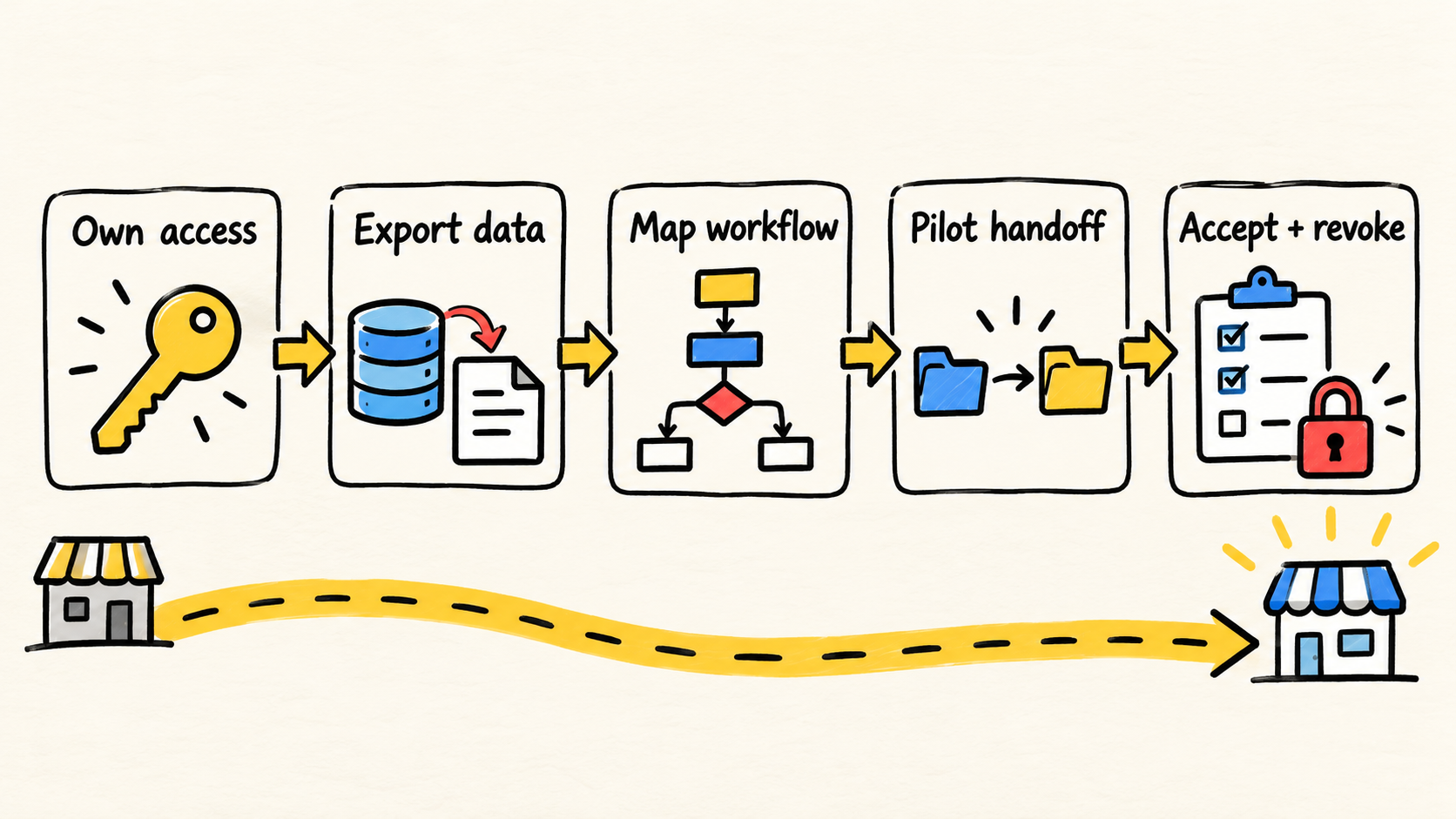
Use this sequence:
- Describe a normal case and an exception without starting with a product name.
- Mark where information is created, changed, and checked.
- Choose the source for each fact and the owner for each decision.
- Compare buying, connecting, building small, and fixing the process.
- Test the path with sample data before accepting a promise.
- Record access, export, maintenance, support, termination, and handoff.
- Name who will measure whether the workflow improved and when to review the decision.
If the choice is between people who will deliver the work, read the freelancer versus agency comparison for small-business software. Choose a provider after you know what needs to be done. A good provider cannot repair a question that was never defined.
Frequently asked questions
Should a small business always buy ready-made software?
No. Buying is a useful default for common functions, not a rule for every operation. If the business depends on a specific sequence that no product represents and the workarounds consume recurring effort, an integration or small custom component may be more coherent. Maintenance still belongs in the decision.
Is custom software always more expensive?
There is no universal answer without the workflow, scope, and post-launch responsibility. Ready-made software can bring subscriptions, workarounds, re-entry, and migration work. Custom software can bring development, hosting, fixes, and security work. Compare the total work required to keep the operation running, not only the first payment.
Who should decide whether to buy or build?
The decision needs a business owner who understands the desired outcome and can prioritize changes. A person, agency, or outside team can implement the work, but the business should control its accounts, data, acceptance criteria, and exit path.
Conclusion
The question "buy or build?" arrives too early. First find out whether the business needs to fix a rule, buy a common capability, connect tools it already owns, or build a small specific piece.
Buy what is common. Connect where work stops. Build only what deserves to be different, and proceed only when maintenance, access, and responsibility are clear. If nobody can explain the workflow, pause the purchase and organize the process before choosing the technology.
How this article was produced
Samuel Fajreldines is the accountable author. The research compared this site's business-software cluster and owners, the partial Search Console snapshot, current English-language results, and public operator discussions. The FTC and CISA sources were used to verify guidance about access, vendors, contracts, and verification. The four-path model is editorial synthesis, not an official standard or a client result.
AI assistance supported source discovery, comparison, structure, drafting, image generation, localization, and consistency review. I did not interview a client, measure a migration, validate a vendor, or produce a cost or return case study.
Sources consulted
- Federal Trade Commission, "Cybersecurity for Small Business", retrieved 2026-10-21
- Federal Trade Commission, "Stick with Security: Make sure your service providers implement reasonable security measures", retrieved 2026-10-21
- CISA, "Assisting Small and Medium-sized Businesses Assess Vendors and Suppliers Fact Sheet", retrieved 2026-10-21
- CISA, "Operationalizing Vendor Supply Chain Risk Management Template for Small and Medium-sized Businesses", retrieved 2026-10-21