The service behaves well with one request at a time. Under load, latency rises, the database starts refusing connections, or a global variable mixes state. The first reaction is usually to search for a magic number for Cloud Run concurrency.
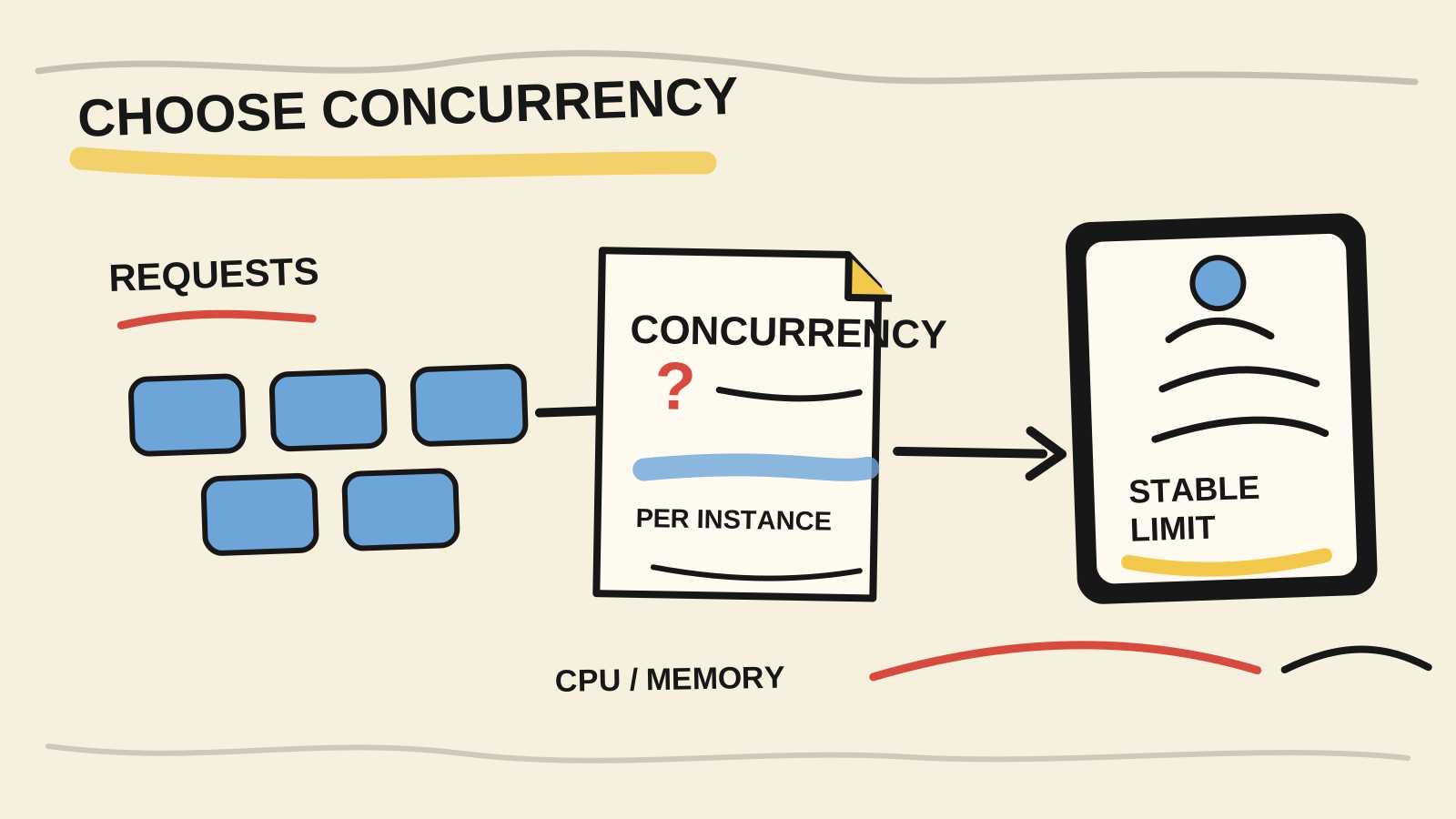
There is no magic number. The setting defines how many requests one instance can receive at the same time. The safe value is the highest level your application can sustain without exceeding CPU, memory, shared state, or a limited dependency. The platform default is only a starting point.
This guide turns the choice into a short loop: identify the bottleneck, start with a conservative limit, create a revision, test with representative load, and watch what fails first. The commands are illustrative and were not run against a Cloud Run service in this repository. The Cloud Run introduction covers the platform model before this tuning decision.
If the wait happens before the application receives the request, read how to separate Cloud Run cold starts from execution latency before raising concurrency.
Short answer
80is the console default, not a recommendation for every application.- Lower the value when each request uses substantial CPU or memory, or when the code is unsafe to run concurrently.
- Higher values can make better use of asynchronous I/O, but they put more pressure on shared resources and can raise latency.
- Test one revision at a time. Watch latency, errors, instance count, and downstream limits before keeping the change.
What does Cloud Run concurrency control?
In 2026, Google Cloud, "Maximum concurrent requests for services", retrieved August 26, 2026, defines maximum concurrency per instance. The console default is 80, and the setting can reach 1,000. This is an admission ceiling for each instance, not a promise that every slot will be used.
If you set 20, one instance can receive up to twenty simultaneous requests.
The service can create more instances as demand grows. If CPU, memory, or
another resource is already busy, Cloud Run may send fewer requests to that
instance. The configured number does not replace the process's actual limit.
Three limits are often confused:
| Limit | What it controls | Symptom when exceeded |
|---|---|---|
| Cloud Run concurrency | Requests per instance | More waiting, instances, or queueing |
| CPU and memory | Work one instance can execute | High latency, errors, or restarts |
| Downstream resources | Database, cache, or API calls | Timeouts, rejections, and retries |
A high setting can reduce active instance count when the work is mostly I/O. It can also concentrate more requests in a process with a small connection pool. Treat concurrency as part of the service design, not an isolated console knob.
How do you choose between lower and higher concurrency?
In 2026, Google Cloud, "General development tips", retrieved August 26, 2026, recommends load testing and iterating until you find the maximum stable concurrency. The same documentation describes the trade-off: lower limits reduce contention inside an instance, while higher limits can improve per-instance throughput.
Start with the heaviest unit of work on the route. An API waiting on another service can keep JavaScript available while it waits for I/O. A route that compresses files, transforms images, or computes embeddings may use CPU and memory for most of the request. They should not inherit the same limit by default.
Ask these questions before changing the setting:
- Can each request fit in the available memory when several arrive together?
- Does the application use mutable global objects that requests can change?
- Can the database connection pool handle the requests from one instance?
- Does an external provider impose a call limit or respond slowly?
- Does this route need low latency or higher per-instance throughput?
If one answer is "no," lower concurrency or separate the heavy route first. If all answers are "yes," test a higher value while watching the service. The goal is not to reach the platform ceiling. It is to avoid turning one instance into a concentrated bottleneck.
The most important limit may sit outside Cloud Run. If one instance receives more work than its connection pool or downstream API can serve, raising concurrency only trades instances for waiting and retries. The setting has to respect the narrowest shared resource in the path.
What does Node.js change about the decision?
In 2026, Node.js, "Overview of Blocking vs Non-Blocking", retrieved August 26, 2026, describes Node.js JavaScript execution as single-threaded and explains that asynchronous I/O lets the event loop continue. High concurrency can therefore work for network waits, while blocking code still occupies the process.
Cloud Run does not create a new JavaScript thread for every request. The process handles concurrent work as code returns control to the event loop. An asynchronous function can progress while it waits for a response. A function that performs heavy synchronous work keeps other requests from advancing, even when the platform limit is high.
This changes what you inspect in a test. Do not compare only requests per second. Check whether latency rises when requests compete for the event loop, whether heap usage grows, and whether external calls accumulate. If a route depends on global state, remove the mutability or use a lower limit until you prove the access is safe.
A simple example is a client with a small connection pool. The service may receive twenty requests, but only some can talk to the database at once. The rest wait inside the instance. That may be acceptable if the wait fits the latency goal and memory remains bounded.
How do you apply a value without turning deployment into a bet?
In 2026, Google Cloud, "Set maximum concurrent requests per instance", retrieved August 26, 2026, documents gcloud run services update SERVICE --concurrency CONCURRENCY and says that changing the setting creates a new revision. Use that behavior to compare isolated configurations.
A conservative starting point can look like this:
gcloud run services update SERVICE --concurrency 8The 8 comes from Google's guidance as an example of a lower value to start
with and then increase. It is not a universal answer. To return to the
default, the same reference documents:
gcloud run services update SERVICE --concurrency defaultAfter each change, wait for the revision to become ready and compare the same traffic scenario. Do not change concurrency, CPU, memory, the database pool, and the timeout at once. When several levers move together, you lose the ability to explain the effect.
Also confirm that the application accepts the chosen simultaneity. Google Cloud recommends setting Cloud Run concurrency equal to or below any concurrency limit in the code. That prevents the platform from accepting work that an internal semaphore cannot organize.
How should you test Cloud Run concurrency?
In 2026, Google Cloud, "General development tips", retrieved August 26, 2026, recommends load-testing tools with configurable concurrency and repeating the process until you find the highest stable value. A successful deployment only proves that the revision started. It does not prove that the service handles expected traffic.
Use a staged test:
- Choose a representative route and an input with the usual production cost.
- Record a baseline for latency, errors, CPU, and memory.
- Send controlled concurrent load to the revision without mixing other changes.
- Watch the database pool, API limits, queues, and downstream retries too.
- Repeat with a higher or lower limit until the first instability signal appears.
- Keep a margin below that point and repeat after meaningful application changes.
The first signal may be a longer queue rather than an HTTP error. It may also be a small latency increase that multiplies when a dependency slows down. Record which resource changed first. That observation is more useful than saying only that the load test "passed."
If the service also runs continuous work, the comparison of Cloud Run Services, Jobs, and worker pools helps separate the execution choice from HTTP concurrency.
There is no benchmark from a service in this repository to publish here. The procedure is a verification method, not a measured result. Each team needs its own routes, data, dependency limits, and latency objective.
Which signals call for lower concurrency?
In 2026, Google Cloud, "Maximum concurrent requests for services", retrieved August 26, 2026, lists near-full CPU or memory and code that cannot handle simultaneous requests as reasons to consider concurrency 1. The trade-off is that more instances may be needed for the same traffic spike.
Lower the limit when you observe any of these conditions:
- one request uses most of the instance's CPU or memory;
- a global variable, local cache, or client is unsafe for concurrent access;
- the database starts rejecting connections when the instance fills;
- downstream calls accumulate timeouts and retries. For re-executed work, see how to avoid duplicate output when Cloud Run Jobs retry;
- traffic spikes make each instance slow before new instances appear.
Concurrency 1 can protect a service while you fix the underlying contention,
but it should not hide the reason for the contention. Google Cloud also warns
that the setting can slow scale-up because more instances must start during a
spike. If the route uses asynchronous I/O and safe state, a higher value may
produce a better balance.
What should you watch after deployment?
In 2026, Google Cloud, "About instance autoscaling in Cloud Run services", retrieved August 26, 2026, describes CPU and request concurrency as autoscaling signals and uses default targets of 60% for both. Those targets describe platform behavior, not your application's SLO.
After deployment, watch four groups of signals:
| Group | Question |
|---|---|
| User | Do latency and errors stay within the route's objective? |
| Instance | Do CPU, memory, and active requests rise together, or does one saturate first? |
| Dependencies | Does the database, cache, queue, or external API receive more pressure per instance? |
| Scale | Does the service create instances early enough, or do requests wait? |
Do not conclude that a setting is better just because it reduced instance count. Fewer instances can mean more waiting inside each process. Do not assume the lower setting is cheaper either. Google Cloud notes that lowering the limit can increase or decrease billable time depending on whether lower latency offsets the extra instances.
When the value changes, compare equivalent windows and record the revision, configuration, load type, and downstream limits. Without that record, a team can attribute an effect to concurrency that actually came from code, traffic, or a dependency.
Frequently asked questions
Is the default value of 80 safe for a Node.js API?
Not necessarily. 80 is the console default documented by Google Cloud, but
the application may have lower CPU, memory, global-state, or database-pool
limits. Start with a value the code can support, load test it, and increase it
until you reach the highest stable setting.
Does concurrency 1 eliminate race conditions?
It reduces concurrency per instance, but it does not remove every race. Cloud Run can run several instances, and an external dependency can still receive concurrent operations. Use the setting as protection, not as a replacement for idempotent operations, transactions, or safe shared state.
How do I know whether to increase or decrease concurrency?
Increase it only while the instance stays stable and downstream resources stay
within their limits. Decrease it when CPU, memory, latency, errors, or
connections saturate first. Google Cloud recommends load testing and iteration.
Do not turn 80, 8, or 1 into a rule without observing your route.
Conclusion
Choosing Cloud Run concurrency means finding the limit of the whole path, not accepting the default without investigation. Identify the narrowest resource. Then create a revision with a conservative value, change one variable at a time, and watch the application together with its dependencies.
For a Node.js service with asynchronous I/O and safe state, a higher value may make better use of each instance. For a heavy route or unsafe shared state, a lower value may protect latency while the design is fixed. The final number should be a recorded decision that someone else can verify.
Sources consulted
- Google Cloud, "Maximum concurrent requests for services", retrieved 2026-08-26, https://docs.cloud.google.com/run/docs/about-concurrency
- Google Cloud, "General development tips", retrieved 2026-08-26, https://docs.cloud.google.com/run/docs/tips/general
- Google Cloud, "Set maximum concurrent requests per instance", retrieved 2026-08-26, https://docs.cloud.google.com/run/docs/configuring/concurrency?hl=en
- Google Cloud, "About instance autoscaling in Cloud Run services", retrieved 2026-08-26, https://docs.cloud.google.com/run/docs/about-instance-autoscaling
- Node.js, "Overview of Blocking vs Non-Blocking", retrieved 2026-08-26, https://nodejs.org/learn/asynchronous-work/overview-of-blocking-vs-non-blocking