The test calls setTimeout, waits for one second, and turns green. The next
week it runs longer, fails in CI, or passes only after a retry. The problem is
not that time exists in the code. It is that the system clock gets to decide
when the assertion happens.
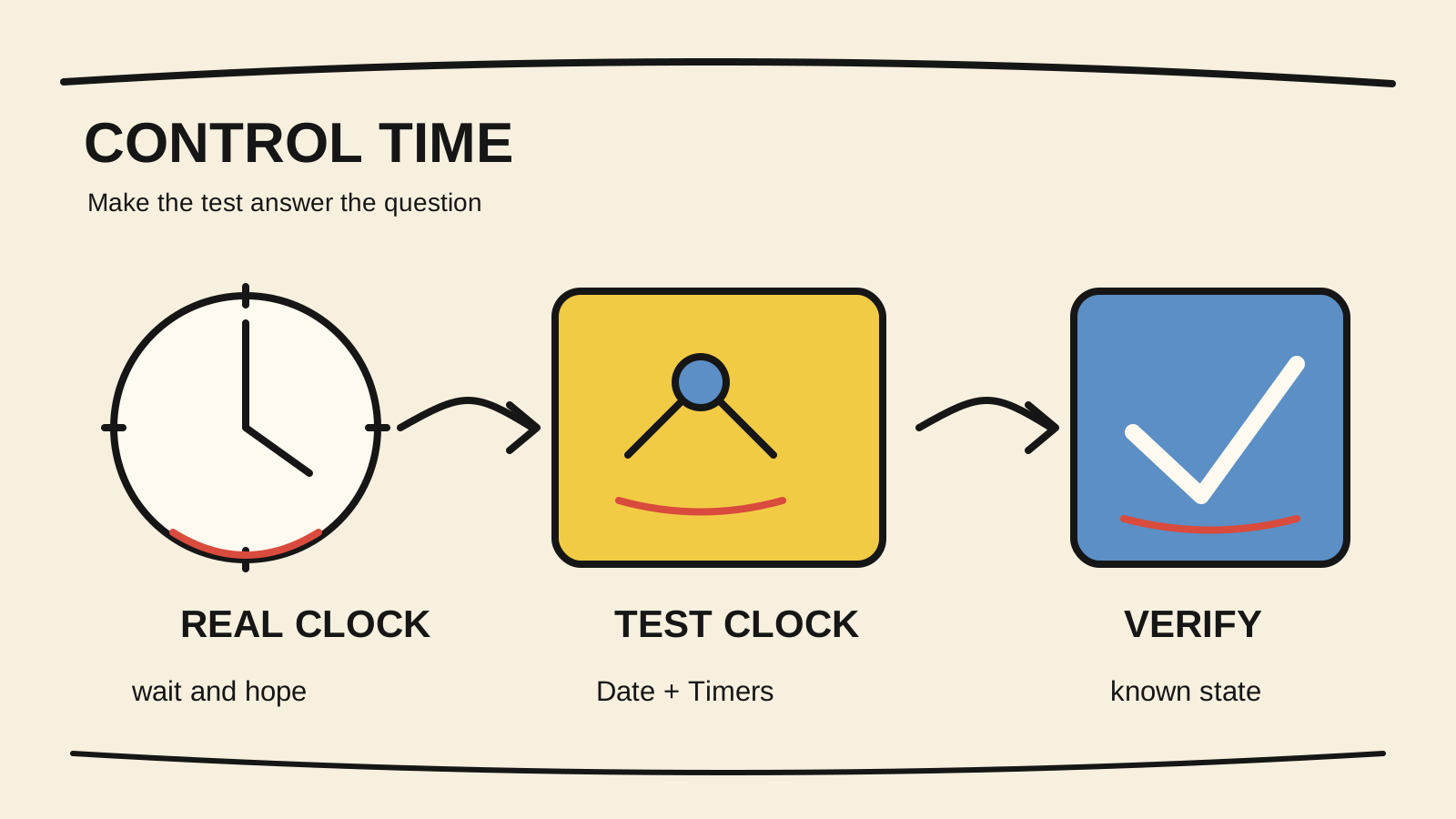
To test time-dependent JavaScript code, separate two dependencies: the date the
rule reads and the timers that schedule work. A fixed date is enough for an
expiry rule. Fake timers let you advance setTimeout, setInterval, and
animation callbacks without sleeping. In both cases, the suite must restore
the clock and drain async work explicitly.
If you are still choosing the right layer for each behavior, the overview of software testing types helps separate unit, integration, and E2E questions before you control the clock.
This guide compares Jest, Vitest, node:test, and Playwright. The code samples
are illustrative and were not run in this repository. The verification commands
show how to adapt each example to your own suite.
Short answer
- Use a fixed date when the code only needs to know “what time is it?”
- Use fake timers when behavior depends on callbacks, intervals, or delays.
- For async functions, advance timers and the Promise queue before checking the result.
- Restore real timers after the test. A leaked clock contaminates cases that seem unrelated.
Which part of time does the code actually use?
Start by naming the dependency. Date.now() and new Date() represent the
clock the rule reads. setTimeout and setInterval represent work that should
happen later. performance.now() measures duration. A browser clock may also
control requestAnimationFrame and other browser APIs.
These dependencies look identical when a test fails because of “timing,” but
they need different proofs. A function that marks a token as expired needs a
known instant. A retry mechanism needs to prove that the second attempt starts
after the delay. A page that updates a counter needs a clock installed in its
BrowserContext.
Before choosing a runner API, write the question in one sentence:
- “Given this instant, is the rule’s result X?”
- “After advancing 500 milliseconds, was the callback called?”
- “After two intervals, does the interface show the right state?”
If the answer is the first, inject or freeze the instant. If it is the second, control timers. If it is the third, use the browser clock and install it before the page loads.
When is a fixed date better than fake timers?
A fixed date is the simpler choice when the rule does not schedule work. The test needs to know whether a subscription is active at an instant, not simulate minutes passing. Freezing the date keeps the mock surface small and makes the assertion clearly about the calendar.
When the API accepts the instant as an argument, you do not need to mock the environment at all:
export function isExpired(expiresAt: Date, now: Date): boolean {
  return now.getTime() >= expiresAt.getTime();
}

test("treats the subscription as expired at the boundary", () => {
  const expiresAt = new Date("2026-08-25T12:00:00.000Z");
  const now = new Date("2026-08-25T12:00:00.000Z");

  expect(isExpired(expiresAt, now)).toBe(true);
});
This design is often better for domain rules because the test does not depend
on Date.now(). If the application reads the current time in many places,
create a small abstraction such as clock.now(), with a real implementation in
production and a fixed implementation in tests. The goal is not to hide time.
It is to make the source of the decision visible.
When you need to control Date.now() without firing timers, vi.setSystemTime
in Vitest and page.clock.setFixedTime in Playwright are examples of APIs that
change the observed time while timers keep running. The documentation for
Vitest, “Vi” and
Playwright, “Clock”, consulted
on August 25, 2026, distinguish this case from advancing the timer queue.
When are fake timers the right tool?
Use fake timers when the behavior you need to prove happens after a delay, in an
interval, or in a callback sequence. The Jest Timer Mocks
guide, consulted on August 25, 2026,
describes replacing native timer functions with versions whose progress can be
controlled. The Vitest timers guide,
consulted the same day, provides the same idea through vi.useFakeTimers().
The following sample is illustrative. The function waits before calling an operation, and the test proves that it does not need to sleep:
export async function retryAfter<T>(
  operation: () => Promise<T>,
  delayMs: number,
): Promise<T> {
  await new Promise<void>((resolve) => setTimeout(resolve, delayMs));
  return operation();
}

test("advances the delay without sleeping", async () => {
  vi.useFakeTimers();

  try {
    const operation = vi.fn().mockResolvedValue("ok");
    const result = retryAfter(operation, 1_000);

    expect(operation).not.toHaveBeenCalled();
    await vi.advanceTimersByTimeAsync(1_000);

    await expect(result).resolves.toBe("ok");
    expect(operation).toHaveBeenCalledTimes(1);
  } finally {
    vi.useRealTimers();
  }
});
The important detail is advanceTimersByTimeAsync. Advancing the clock can
run the timer callback, but the Promise returned by the operation still needs a
chance to settle. The method name differs between runners. In Jest, use the
matching async variant when a callback creates Promises. In node:test, use
context.mock.timers.tick() for the timer and await the operation separately.
Do not use runAllTimers() for a function that schedules a permanent interval
or an unbounded retry. The runner may loop until it reaches its timer limit.
Advance to the event that matters, assert it, and close the resource.
How should you choose between Jest, Vitest, and node:test?
Choose the API already used by the suite, not a new runner because one method name looks nicer. The principles are the same, but lifecycle and Promise support differ.
| Runner | Control the date | Advance timers | Main caution |
|---|---|---|---|
| Jest | jest.setSystemTime() |
jest.advanceTimersByTime() or its async variant |
Call jest.useRealTimers() in cleanup. |
| Vitest | vi.setSystemTime() |
vi.advanceTimersByTimeAsync() |
Install the fake clock before code schedules the timer. |
node:test |
mock.timers.enable({ apis: ["Date"] }) |
context.mock.timers.tick(ms) |
The API depends on the Node version used by CI. |
The Node.js test runner documentation,
consulted on August 25, 2026, documents mock.timers.enable, tick, and
reset. The version your CI runs is part of the contract. Do not copy an
example from the newest documentation without checking node --version in the
real environment.
If the suite uses Node without Jest or Vitest, node:test avoids adding a
dependency solely to control timers. If the team already uses Vitest or Jest,
changing runners will not make the test deterministic. What matters is knowing
which clock is fake, who scheduled the work, and when async work was consumed.
How do you test time in a Playwright page?
A fake timer in the test process does not automatically control the clock inside
the page. For browser behavior, use Playwright’s clock. The page.clock API can
control Date, timers, animation frames, and performance in the
BrowserContext. The Playwright Clock API,
consulted on August 25, 2026, recommends installing the clock before navigation
when the application schedules work during loading.
The sample is illustrative:
test("shows an expired session after advancing the clock", async ({ page }) => {
  await page.clock.install({ time: new Date("2026-08-25T12:00:00.000Z") });
  await page.goto("/session");

  await page.clock.fastForward("30:00");
  await expect(page.getByRole("status")).toHaveText("Session expired");
});
Use setFixedTime when the page only needs a stable date. Use runFor or
fastForward when a timer should fire. The Playwright Clock API separates setSystemTime,
which changes the time without firing timers, from methods that advance time and
run callbacks.
This does not replace testing the service that decides expiry. The page can show the right message and still send a wrong timestamp to the API. Keep the domain rule in a faster layer and use the Playwright test for behavior that exists only in the browser. For another E2E boundary, see how to prevent shared state between Playwright CI tests. If the question is the network, how to mock APIs in Playwright without false positives covers a different boundary.
Why do fake-timer tests still fail?
Fake timers control one source of nondeterminism, not all of them. Common problems include:
- The clock was installed too late: a module captured
setTimeoutduring import and still points to the real implementation. Install the clock before importing it or redesign the dependency. - The Promise stayed pending: the timer advanced, but the callback started async work. Use the runner’s async API and await the result.
- The timer leaked into the next case: restore real timers and clear
intervals in
afterEachorfinally. - The date and timezone were mixed: compare UTC instants when that is the rule. Do not use a local string to hide a timezone conversion.
- The code uses another clock:
performance.now(),process.hrtime(), and browser APIs may need their own configuration. Confirm what the runner actually intercepts. - A wait is hiding a race: replacing
await new Promise(resolve => setTimeout(resolve, 100))with a fake timer makes the test faster, but it does not fix an assertion that fails to wait for an observable condition.
In Playwright, do not turn page.waitForTimeout() into a synchronization
strategy. The Page API documentation,
consulted on August 25, 2026, describes fixed waits as unsuitable for stabilizing
tests. Wait for a condition that represents the behavior, or control the clock
when time itself is the subject of the proof.
How do you verify that the test measures the right rule?
Before putting a time-based case in CI, review its boundary with this checklist:
- Is the assertion about an observed date, a fired timer, or both?
- Does the code schedule the timer after the fake clock is installed?
- Does the test advance exactly to the event it intends to prove?
- Are Promises and callbacks awaited after advancing time?
- Does the case restore timers, dates, and intervals even when it fails?
- Is the timezone explicit in the fixture?
- Is the domain rule tested without the browser or network?
- Does the test fail if you remove the assertion that should protect the behavior?
Run the case alone, then the full suite, and finally a repeated run with the CI configuration. If it passes only alone, look for clock leakage or execution order. If it passes only with real time, the example may depend on a queue the test never drains. If it needs a real API, separate that integration from the deterministic proof of the scheduler.
Time-based tests do not need to be slow or magical. Name the part of time that matters, control it with the runner’s API, and preserve the boundary you did not control. The suite can then answer a concrete question: what state should exist at this instant, and what work should have run by now?