

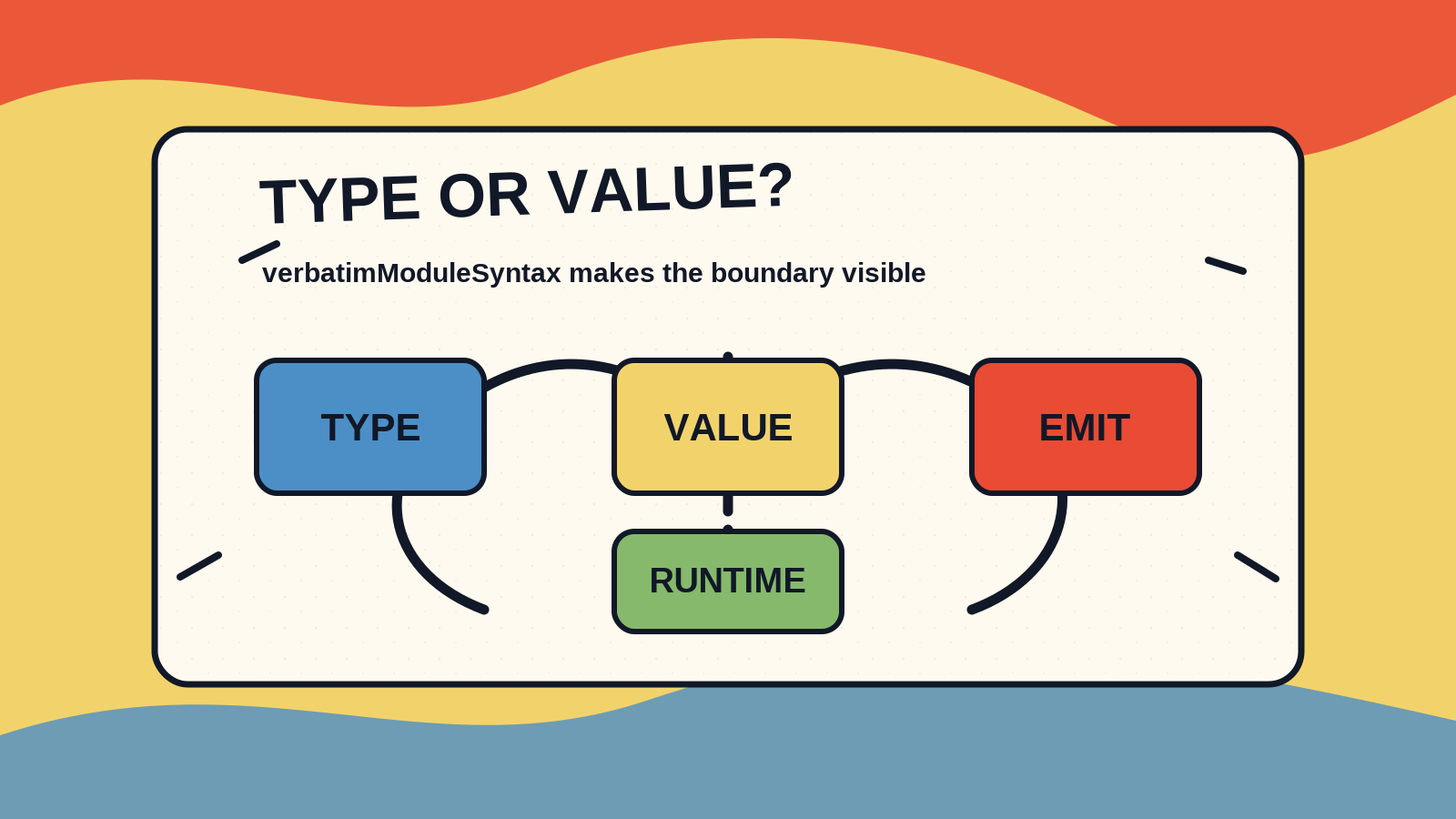
verbatimModuleSyntax is easier to choose when you start with the runtime. If a file imports types only, use import type. If it imports a value that must exist in JavaScript, keep a value import. Then align module, package.json, and the loader that will execute the result.
That is different from choosing NodeNext or Bundler. The TypeScript guide to moduleResolution explains how a module is found. This article focuses on what the compiler can preserve, remove, or reject during emit.
Short answer
import type { User }is erased from JavaScript because it carries type information only.- An import without
typeis treated as a value and remains in the output whenverbatimModuleSyntaxis enabled.- In an import that mixes a type and a value, mark the type member:
import { run, type Options } from "./tool.js".- The flag does not silently turn ESM into CommonJS.
package.json,module, and the runtime must tell the same story.
What does verbatimModuleSyntax change in emitted JavaScript?
Without the flag, TypeScript tries to determine which imports were used only for types and may remove them. verbatimModuleSyntax simplifies the rule: an import or export without type remains, while one marked as a type is erased. TypeScript introduced this option to replace the more confusing combination of importsNotUsedAsValues, preserveValueImports, and isolatedModules behavior.
// Erased from emitted JavaScript.
import type { User } from "./model.js";

// Remains because displayName is a runtime value.
import { displayName, type UserId } from "./model.js";
The benefit is not saving a few lines in the output. It makes the file's intent visible and lets the compiler flag an ambiguous import before runtime. The option also gives the emitter less freedom: ESM imports and exports are not rewritten into require calls when the configuration says otherwise.
Why do NodeNext and package.json matter?
Node decides whether a file is CommonJS or ESM using project rules such as its extension and the type field in package.json. Node's documentation on TypeScript and type stripping explains that Node does not read tsconfig.json to transform path aliases or convert one module system into another. It strips types, but the remaining syntax still has to make sense to the loader.
For a service, CLI, or worker executed directly by Node as ESM, an explicit starting point is:
// package.json
{
  "type": "module"
}
// tsconfig.json
{
"compilerOptions": {
"target": "ES2022",
"module": "NodeNext",
"moduleResolution": "NodeNext",
"verbatimModuleSyntax": true,
"strict": true,
"outDir": "dist"
}
}This is not a universal configuration. It makes one choice: Node loads JavaScript as ESM, the project uses ESM, and the compiler must preserve the type/value distinction. The TypeScript guide to choosing compiler options recommends checking the emitter and runtime together. A bundled application may need a different pair of options.
When the story does not line up, the errors are useful. TS1484 points to a type imported without the type modifier. TS1286 or TS1287 indicate that ESM syntax was written in a file TypeScript is treating as CommonJS with the flag enabled. Do not fix those diagnostics by removing the option before deciding which module system the program will actually run.
import type or import { type X }?
Both forms mark types, but they do not have the same effect when the whole import exists only for types:
| Form | When to use it | What to remember |
|---|---|---|
import type { User } from "./model.js" |
The module supplies only types to this file | The entire import disappears from JavaScript |
import { run, type Options } from "./tool.js" |
The file uses a value and a type from the same module | run stays in output; Options does not |
import { type User } from "./model.js" |
Inline syntax for a list containing only types | TypeScript may emit import {} to preserve module semantics |
That last row deserves attention. import { type User } can still load the module to preserve side effects. If the entire import is type-only and you do not want the module to execute, prefer import type { User }. The official reference shows this output as import {}. The Next.js issue about a server-only module is a practitioner example of how this distinction appears at a bundler boundary, but the technical behavior should be checked against TypeScript and your emitter.
Do not use import type to hide initialization that the program needs to run. If ./register.js installs a hook or registers a tool through a side effect, the value import is part of the contract, even if you also import a type from it.
Which configuration fits?
Choose the configuration based on the artifact delivered to users, not on the editor that makes an import look valid:
| Who loads the output | Starting point | Risk the check should expose |
|---|---|---|
| Node executes emitted files | module: "NodeNext" and moduleResolution: "NodeNext" with verbatimModuleSyntax |
Mixed ESM and CommonJS, missing relative extensions, or an incoherent package.json |
| Vite, esbuild, Rollup, or another bundler creates the final artifact | The module and resolution mode recommended by that bundler, with explicit type imports | tsc passes but the bundle or a plugin interprets imports differently |
A CommonJS project will keep using require |
Explicit CommonJS syntax such as import fs = require("node:fs"), or a planned migration |
ESM syntax looks valid in the editor but fails in emit or Node |
| A library publishes JavaScript and declarations | The format real consumers load, tested from the packed artifact | The workspace works but exports or .d.ts files fail for another consumer |
For a bundled application, verbatimModuleSyntax can still be appropriate, but the bundler's emitter must agree with what tsc checked. TypeScript warns that a third-party emitter may produce a different format from the one assumed by tsconfig.json. The test must go through the same bundler that creates the final artifact.
How to migrate without turning the build into guesswork
- Write down the boundary. Record whether Node, a bundler, the browser, or more than one loader will execute the output.
- List type-only imports. Change each whole import to
import type. In mixed imports, mark type members. - Align the package. Check
typeinpackage.json, extensions,module,moduleResolution, and the build command. - Compile a small change. Run
tsc --noEmit, or the equivalent check for your bundler, before changing the whole repository. - Test the artifact. Execute emitted JavaScript or install the package into a clean fixture. Compiling
.tsdoes not prove that the published file will load. - Separate aliases. If the failure involves
paths, treat it as a runtime decision. Node does not transform those aliases during type stripping.
The TypeScript satisfies guide for configuration covers another part of the same work: checking a value written in code without losing its inference. satisfies does not decide how an import is emitted. Keeping those boundaries separate avoids a tsconfig that appears to solve every problem at once.
A small fixture verifies the diagnosis
The fixture below uses a type and a function from the same module. Save the files in a minimal ESM project and run the command shown. The block is illustrative, but the same structure was compiled in a temporary directory with TypeScript 5.9.3 and Node.js 25.5.0 on November 23, 2026.
// src/model.ts
export interface User {
  id: string;
}

export function displayName(user: User): string {
  return user.id;
}
// src/main.ts
import type { User } from "./model.js";
import { displayName } from "./model.js";
const user: User = { id: "u-1" };
console.log(displayName(user));With module: "NodeNext", moduleResolution: "NodeNext", verbatimModuleSyntax: true, and type: "module", the check finished without diagnostics and printed u-1. Removing type from the first import made the compiler produce TS1484, requiring a type-only import.
npm exec --yes --package=[email protected] -- \
  tsc -p tsconfig.json --pretty false
node dist/main.js
This proof is limited. It does not test Next.js, Vite, esbuild, tsx, a published library, or a package with aliases. It only confirms that, in this minimal contract, the compiler separates a type import from a value import and the output can run in Node.
Failures the flag does not solve
verbatimModuleSyntax does not validate JSON, check environment variables, resolve paths in Node, or prove that a dependency publishes the same format as your workspace. It also does not turn a CommonJS project into ESM. It makes the mismatch more visible.
If the problem is data received over HTTP or from a tool, use the guide to validate external JSON before using it in TypeScript. If it is the loaded module or import path, inspect package.json, the emitter, and the runtime. The compiler can protect only the part of the contract written in configuration and code.
Method and limits
Samuel Fajreldines is the author responsible for the source selection, fixture run, and final wording. The research compared TypeScript's verbatimModuleSyntax reference, the module options guide, and Node's TypeScript documentation. Current English, Portuguese, and Spanish results and public discussions were used only for vocabulary and objections.
The local fixture was compiled with TypeScript 5.9.3 and Node.js 25.5.0. The correct case ended with u-1; deliberately changing it to a value import produced TS1484. This demonstrates a minimal compiler boundary. It is not a benchmark, production incident, or claim about a specific framework.
I used AI assistance for source discovery, organization, drafting, localization, and consistency review. It did not run the fixture, measure production behavior, or add experience that was not performed.
Conclusion
Use verbatimModuleSyntax when you want the code to say which imports are types and which are values, and when the emitter should respect that choice. The decision is complete only after aligning package.json, module, moduleResolution, the bundler or Node, and the package that will run.
If an import supplies types only, start with import type. If a runtime value or side effect exists, preserve the value import and test the final artifact. The goal is not to make every project use one configuration. It is to make the error appear during compilation, close to the decision that caused it.
Sources consulted
- TypeScript, TSConfig Option: verbatimModuleSyntax, accessed November 23, 2026.
- TypeScript, Choosing compiler options, accessed November 23, 2026.
- Node.js, Modules: TypeScript, accessed November 23, 2026.
- TypeScript, TypeScript FAQ, accessed November 23, 2026.
- GitHub, Issue about
import typeandserver-onlyin Next.js, accessed November 23, 2026.