JSON.parse has finished, but the returned value is not a User yet. It is only a JavaScript value that came from outside the process. A TypeScript interface describes what the code expects to receive; it does not inspect an HTTP response, a file, or a queue message.
A safe boundary is small and explicit: check the response status, parse the text, validate the shape, and only then pass a typed value to business logic. The pattern below uses no library. You can later replace the guard with Zod, Valibot, JSON Schema, or a generated client without changing the central idea.
The same care applies when you validate arguments before executing a tool. The source changes, but the contract is the same: external data must be checked before it produces effects.
When the helper also needs to return HTTP and request failures to its caller, see how to type fetch success and error results in TypeScript with a discriminated union.
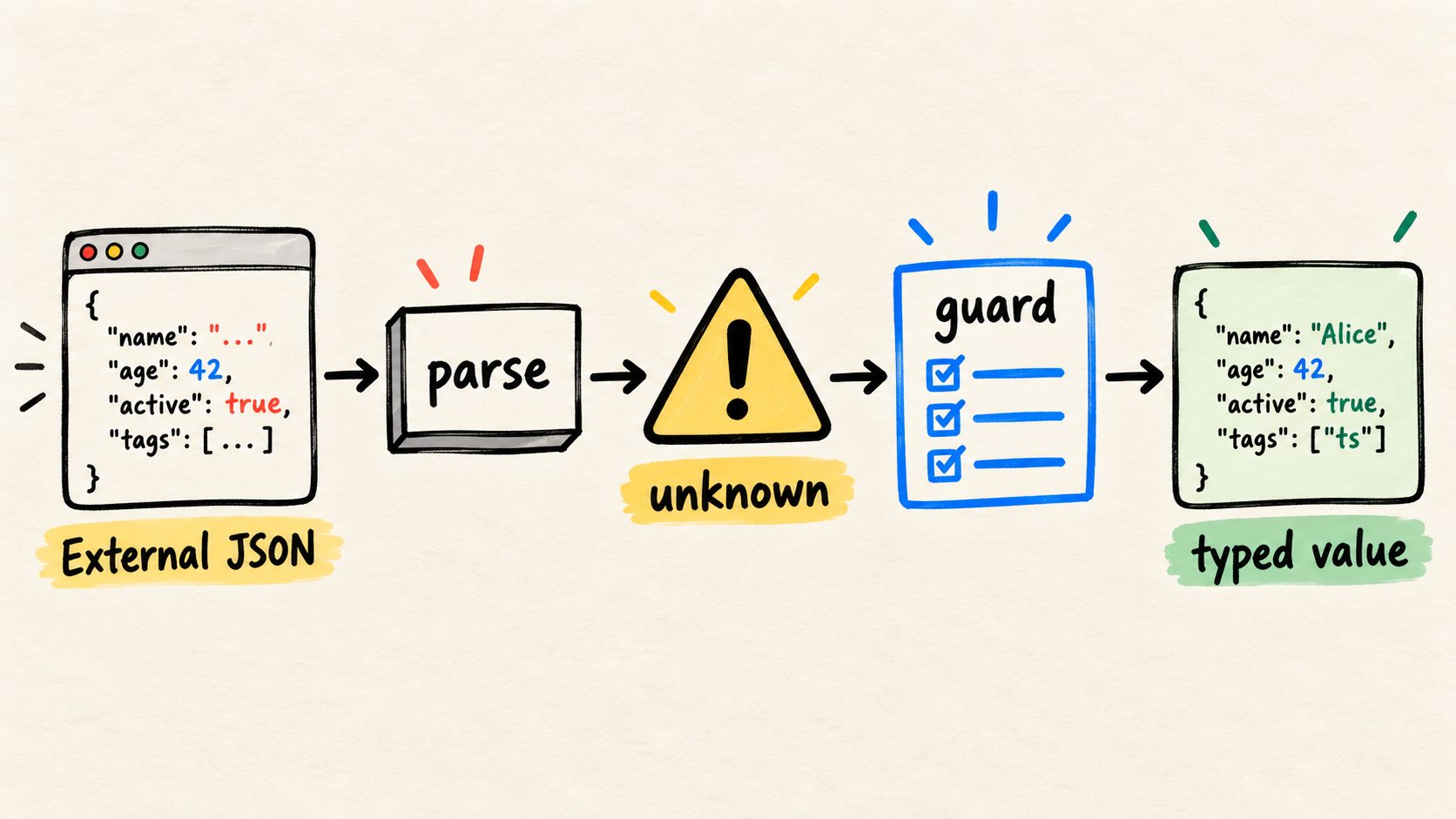
This guide builds a guard for a nested object, connects it to fetch, tests broken inputs, and separates what shape validation actually proves.
Can TypeScript validate JSON at runtime?
No. The compiler can help narrow a value after a condition has run, but it does not observe content received over the network. TypeScript for the New Programmer explains that types are removed when code is transformed, and the Basic Types reference notes that a type assertion performs no runtime checking.
This code compiles, but it validates nothing:
type User = {
  id: string;
  name: string;
};

const user = JSON.parse(body) as User;
console.log(user.name.toUpperCase());
If body contains { "id": 42 }, the assertion does not fix the number or notice that name is missing. It only tells the compiler to accept your promise. Start with unknown for external input and narrow it at runtime, as described in the TypeScript Narrowing Handbook.
The key choice is not whether to use a hand-written guard or a library. It is defining the contract at the boundary and making the rest of the program receive only the result that passed that contract. The tool may change; the boundary remains the code's responsibility.
What is the difference between parsing JSON and validating its shape?
They are different failures. Parsing converts valid JSON text into a JavaScript value. Shape validation checks whether that value has the fields and types the program needs. JSON.parse throws a SyntaxError for invalid text, according to MDN's JSON.parse reference, but syntactically valid JSON can have any shape.
Make parsing return unknown and keep this step free of claims about the domain:
function parseJson(text: string): unknown {
  try {
    return JSON.parse(text) as unknown;
  } catch (error) {
    if (error instanceof SyntaxError) {
      throw new Error("Response does not contain valid JSON", { cause: error });
    }

    throw error;
  }
}
The as unknown adds no protection. It makes the intent visible: parsing is over, and another function still needs to check the value. This separation also makes tests more precise, because an input can fail due to syntax or shape.
How do you write a guard for a nested object?
A guard is a function that returns a type predicate, such as value is User, after checking properties at runtime. TypeScript documents type predicates and narrowing as the way to tell the compiler what a condition has established.
The following example validates a user, including a nested field and an array. It rejects values that do not match the contract and returns User only on the approved path:
type User = {
  id: string;
  profile: {
    name: string;
  };
  active: boolean;
  tags: string[];
};

function isRecord(value: unknown): value is Record<string, unknown> {
  return typeof value === "object" && value !== null;
}

function readUser(value: unknown): User {
  if (!isRecord(value)) {
    throw new Error("User must be an object");
  }

  const profile = value.profile;
  const tags = value.tags;

  if (
    typeof value.id !== "string" ||
    !isRecord(profile) ||
    typeof profile.name !== "string" ||
    typeof value.active !== "boolean" ||
    !Array.isArray(tags) ||
    !tags.every((tag) => typeof tag === "string")
  ) {
    throw new Error("Invalid user shape");
  }

  return {
    id: value.id,
    profile: { name: profile.name },
    active: value.active,
    tags,
  };
}
The return value makes a deliberate choice: it creates a new object with the known fields. Extra payload fields do not accidentally become part of the internal contract. If the application needs to preserve them, that decision should appear in the type and tests.
This article does not present a client case study or a personal benchmark. The example's value is that it is small, executable, and easy to adapt to an application's real contract.
How do you connect the guard to an HTTP response?
An HTTP response has at least two relevant dimensions: the transport result and the content. Node.js fetch exposes ok, status, and body-reading methods through Response and its globals. A successful status does not prove that the JSON has the expected shape.
Join the steps without turning one failure into another:
async function fetchUser(url: string): Promise<User> {
  const response = await fetch(url);

  if (!response.ok) {
    throw new Error(`User service responded with ${response.status}`);
  }

  const body = await response.text();
  return readUser(parseJson(body));
}
The call now fails at observable points: the service can return an HTTP error, the body can be non-JSON, or the JSON can fail the contract. For endpoints receiving third-party calls, also test the real HTTP delivery contract, including signatures, duplicates, and retries.
Do not hide status handling inside the guard. readUser should know about data; fetchUser should know about transport. That division keeps the shape function reusable for files, queues, and already-read responses.
How do you test the boundary without trusting the happy path?
Test the contract where input arrives. OWASP's Input Validation Cheat Sheet recommends explicit, restrictive validation when data enters a system, but this step does not replace authentication, authorization, or operation-specific controls.
With any test runner, the minimum idea is to cover syntax, shape, nesting, arrays, and success:
const validBody = JSON.stringify({
  id: "u_123",
  profile: { name: "Ada" },
  active: true,
  tags: ["admin", "billing"],
});

if (readUser(parseJson(validBody)).profile.name !== "Ada") {
  throw new Error("The valid payload should pass");
}

function assertRejects(invalidBody: string): void {
  let rejected = false;

  try {
    readUser(parseJson(invalidBody));
  } catch {
    rejected = true;
  }

  if (!rejected) {
    throw new Error("Invalid input passed");
  }
}

for (const invalidBody of [
  "{",
  "null",
  JSON.stringify({ id: "u_123", profile: { name: "Ada" } }),
  JSON.stringify({
    id: "u_123",
    profile: { name: "Ada" },
    active: true,
    tags: ["admin", 7],
  }),
]) {
  assertRejects(invalidBody);
}
In a real project, add cases for optional fields, null, empty arrays, extreme values, and supplier version changes. Test the body of an HTTP error too when the transport layer is part of the contract.
A useful failure message preserves where trust ended. "Invalid JSON", "404 status", and "missing active field" are more useful for diagnosis than turning every path into "could not load user".
When should you replace the guard with a schema library?
A hand-written guard may be enough for a small, stable contract. A schema library becomes useful when several endpoints share rules, error messages need structure, or the schema also drives documentation and type generation. JSON Schema and generated clients may fit better when multiple teams maintain a formal contract.
The criterion is not removing manual code at any cost. It is keeping one source of truth and ensuring validation happens at the right boundary. In an application with tools, the same decision appears when you validate tool arguments and outputs. For local configuration, see how to separate runtime validation types, because process configuration and remote payloads have different risks.
What does JSON validation not guarantee?
Even a complete guard answers only one question: does this value have the shape the code expects? It does not prove that:
- the user is authenticated or authorized;
- the record still exists or is current;
- a URL, date, identifier, or permission makes business sense;
- the supplier followed a rule that is not represented in the type;
- the payload can be logged without exposing sensitive data.
Those decisions belong to additional layers. OWASP's guidance treats input validation as a defense that must coexist with other controls. The guard prevents an unexpected shape from advancing silently; it does not turn an external source into a source of truth.
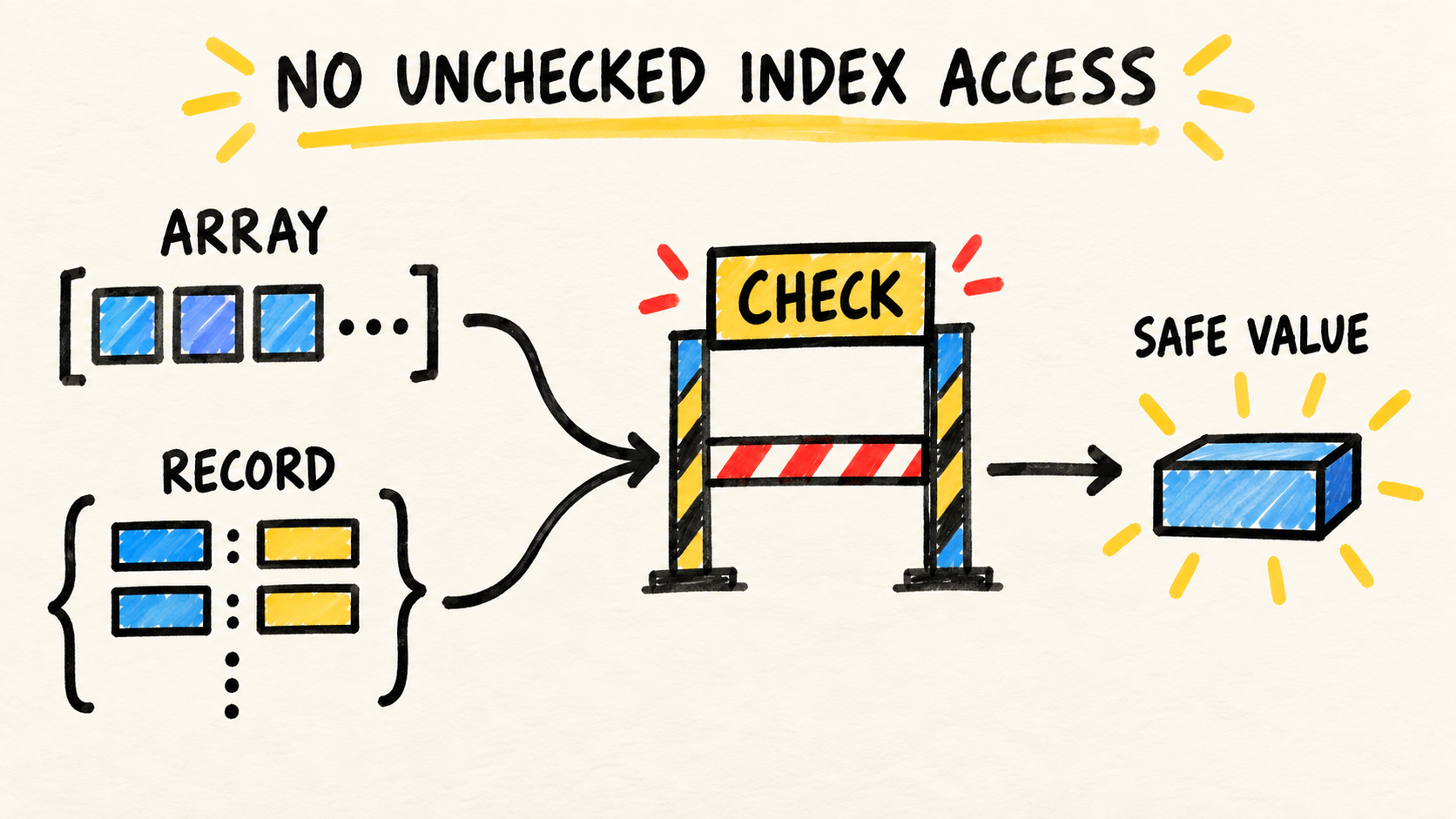
After the value crosses that boundary, noUncheckedIndexedAccess for TypeScript array and record reads helps keep missing internal values visible. It complements this guard, but it does not replace it.
Frequently asked questions
Can I use as User after JSON.parse?
You can if you have already checked the value another way. On its own, the assertion changes only the compiler's view. For external input, prefer unknown until a validation function returns the type.
Do I need to validate every response field?
Validate every field that the code will treat as trusted. If the internal contract needs only part of the response, extract that part in the guard and make the type reflect what was actually established.
Does response.ok prove that the response is safe?
No. It helps separate a successful HTTP response from an error response. You still need to read the body and validate its shape before accessing specific properties.
Conclusion
The reliable sequence is HTTP status -> text -> JSON -> unknown -> guard -> domain value. It makes failures visible and prevents an optimistic annotation from hiding unexpected data.
If the contract grows, replace the guard with a schema solution the team can maintain. Do not remove the boundary. The goal is for business logic never to discover too late that the received value was not what the type promised.
Sources consulted
- TypeScript for the New Programmer, Basic Types, and Narrowing, consulted September 14, 2026.
- MDN: JSON.parse, consulted September 14, 2026.
- Node.js: Globals, consulted September 14, 2026.
- OWASP: Input Validation Cheat Sheet, consulted September 14, 2026.