

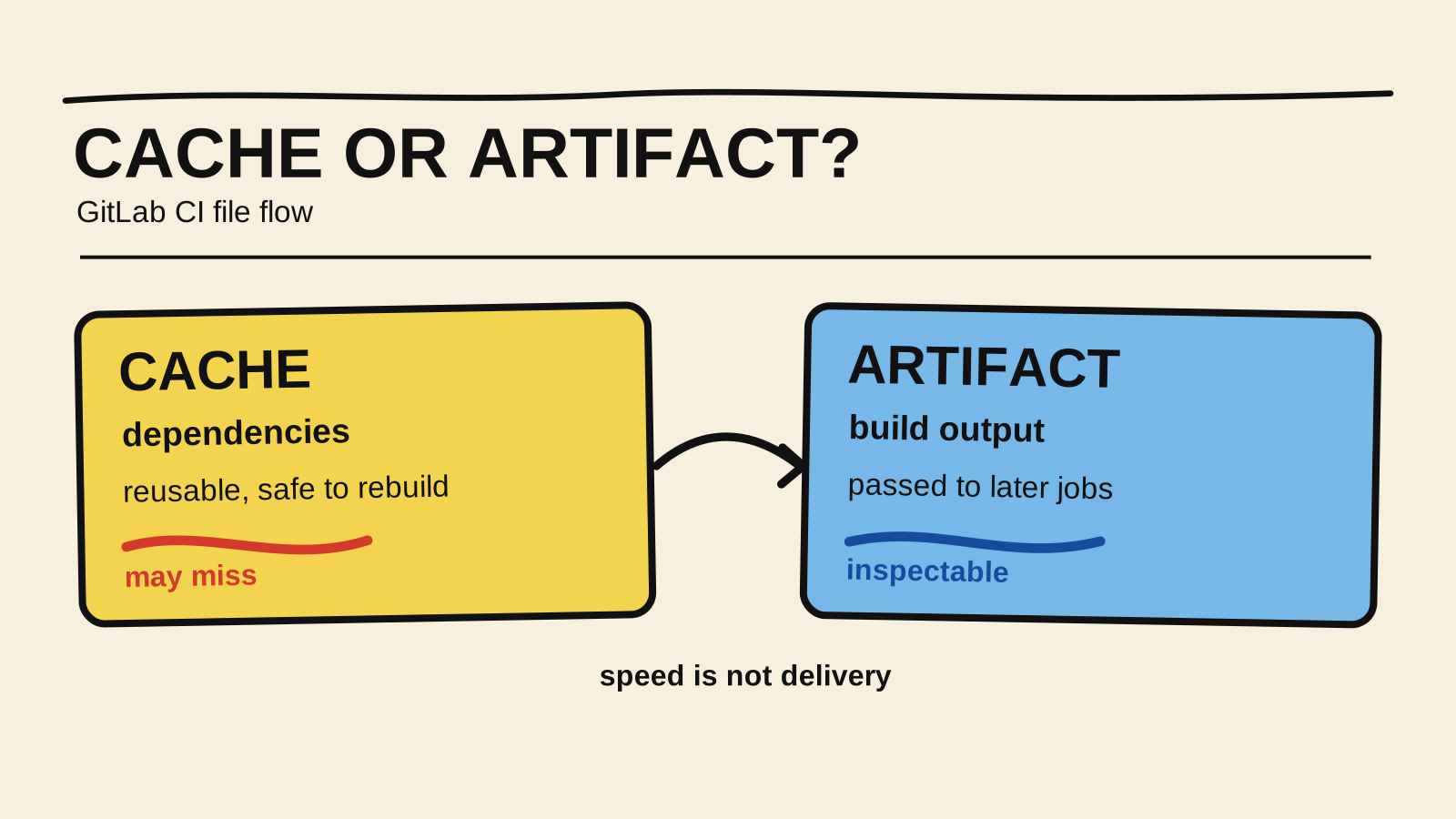
Cache and artifacts solve different problems in GitLab CI. The first speeds up a dependency that a job can rebuild. The second carries pipeline output, such as dist/, to a job that needs to test or publish it.
That difference appears when the build job finishes but the next job cannot find dist. The quick fix is often to put everything in cache. That can make a pipeline pass on one runner and fail on the next because cache is an optimization that may be missing. The contract question is simple: does the pipeline need to recover a produced result, or only avoid downloading the same dependency again?
This is a focused follow-up to the GitLab CI guide for Node.js. That guide covers the shape of a pipeline; this article answers which mechanism should carry each file between jobs. It also complements the guide to using npm ci in CI, because a useful cache speeds installation without making build output optional.
I did not measure the duration of a specific pipeline. The YAML examples are illustrative and need to match your runner, package manager, and actual output directories.
Short answer
- Cache stores dependencies or other files that can be rebuilt when they are unavailable.
- An artifact stores pipeline output that a later job needs to receive, inspect, or publish.
- Key the cache from the lockfile so it does not reuse dependencies from a different project state.
- Set
expire_infor temporary artifacts and use a registry for releases that must outlive the pipeline.- If the pipeline cannot continue without the file, do not treat that file as cache.
| Question | Cache | Artifact |
|---|---|---|
| If it is missing | Rebuild or download the content again | Inspect the producer and consumer contract |
| Typical Node.js use | .npm/ and reusable dependencies |
dist/, reports, and logs |
| Lifetime | Replaceable and keyed by inputs | Tied to the pipeline and expire_in |
Cache speeds up work the job already knows how to repeat
Cache is a reusable copy, not the pipeline's source of truth. GitLab describes cache as files a job downloads and saves so later runs do not have to download them again. A cache may be absent on the next runner, may have been cleared, or may use a different key. The job that depends on it still needs a way to rebuild the content.
In a Node.js project, .npm/ is often a better candidate than node_modules/. The first directory stores content npm can reuse during installation. The second contains an extracted tree that can vary with the Node version, operating system, install scripts, and runner configuration. That does not make caching node_modules forbidden, but it increases what the key and environment must guarantee.
The key should follow the input that changes the result. For npm dependencies, package-lock.json is often a useful input. GitLab supports keys based on file contents with cache:key:files, as well as separate caches per branch or other pipeline context, as described in its caching documentation.
default:
  image: node:22
  cache:
    key:
      files:
        - package-lock.json
    paths:
      - .npm/

install:
  stage: build
  script:
    - npm ci --cache .npm --prefer-offline
This example still works without a cache. npm ci downloads the dependencies again when .npm/ is unavailable. A lockfile-based key reduces the chance that a manifest change keeps using a copy belonging to a different project state. The behavior and key options come from GitLab's caching documentation.
An artifact carries the output the next job needs
An artifact is output archived by a job and made available to other jobs or for inspection. GitLab's job artifacts documentation lists build output, reports, and files tied to a pipeline as use cases. If a deploy job must receive dist/ exactly as the build job produced it, that directory is an artifact.
Artifacts are also a useful boundary for test reports, coverage, diagnostic logs, and files a reviewer needs to download. If the report comes from a Playwright suite, the guide to shared state in Playwright CI helps fix the flaky-test cause before preserving the result. Set expire_in when the file is temporary. If a version needs a stable URL, must be consumed by other projects, or must survive the pipeline, use a package registry or other release storage instead of treating an artifact as a permanent publication.
build:
  stage: build
  script:
    - npm ci --cache .npm --prefer-offline
    - npm run build
  artifacts:
    paths:
      - dist/
    expire_in: 1 week

test-build:
  stage: test
  dependencies:
    - build
  script:
    - test -f dist/index.js
    - npm test
The dependencies entry limits which job supplies artifacts to the second job. Later-stage jobs can fetch artifacts from earlier stages by default, and GitLab also provides needs:artifacts for a more explicit relationship. Choose one form and verify the actual pipeline because job names, stages, and needs topology change the flow.
How do you keep both mechanisms in one pipeline?
A pipeline can use cache and artifacts in the same job when they represent different things. Cache speeds up npm ci; the artifact carries dist/ to the job that tests the build or deploys it. The same directory should not represent both roles. GitLab warns that cache is restored before artifacts and can be overwritten when both use the same path.
stages:
  - build
  - verify
  - deploy

default:
  image: node:22
  cache:
    key:
      files:
        - package-lock.json
    paths:
      - .npm/

build:
  stage: build
  script:
    - npm ci --cache .npm --prefer-offline
    - npm run build
  artifacts:
    paths:
      - dist/
    expire_in: 1 week

verify:
  stage: verify
  dependencies:
    - build
  script:
    - test -f dist/index.js
    - npm test

deploy:
  stage: deploy
  dependencies:
    - build
  script:
    - ./scripts/deploy.sh dist/
  rules:
    - if: $CI_COMMIT_BRANCH == $CI_DEFAULT_BRANCH
The YAML is illustrative. dist/index.js and scripts/deploy.sh must exist in the project, and node:22 must be compatible with the version the application declares. The test -f check is small, but it keeps a deploy job from hiding missing output behind a generic message.
If the verification job recompiles everything from the checkout, it may not need the build artifact. Remove the dependency instead of copying files without a reason. An artifact is useful when the pipeline wants to preserve, test, or deliver that output.
How do you diagnose a cache that disappears?
An absent cache is not automatically a correctness failure. First ask whether the job can rebuild it. If it can, inspect these points:
- Different runner. A local cache may not follow the job when another runner executes the stage. GitLab documents the need for a shared runner or distributed cache in multi-runner setups.
- Key too broad. A key such as
nodecan reuse content across incompatible states. Prefer a key that includes the lockfile or another identifier for the dependency input. - Key too broad in another way. Two jobs can write different directories to the same cache. One upload can replace the cache archive the other job expected.
- Different architecture. Native dependencies or compiled binaries may not be portable between systems and architectures. Cacheability does not make a binary universal.
- Same path for cache and artifact. The two mechanisms can overlap, and their restore order can produce a different result than expected.
If a missing cache leaves the job correct and only makes it slower, record a performance problem. If its absence prevents the pipeline from validating the commit, the file is probably an artifact, a versioned package, or an explicit dependency rather than a cache.
What changes when an artifact is missing?
A missing artifact is usually a contract failure. Check that the producer job succeeded, that the path exists inside the project directory, and that the consumer requests the right job's artifact. Also inspect dependencies, needs:artifacts, rules, and the stage because a restrictive relationship can prevent the download.
The GitLab CI YAML reference documents the syntax for those fields. Do not infer the behavior from the word needs alone. Read the job configuration and confirm in the log that the runner downloaded the artifact before the script ran.
When the output is a release, do not solve the error by extending artifact retention forever. GitLab separates temporary artifacts, outputs tied to a commit, and release files that need a registry or stable URL. That boundary keeps the pipeline responsible for its run without turning job history into a version repository.
Checklist before adding a key
Ask about the file rather than choosing the most convenient keyword:
- Can the job recreate it without changing the expected result? If yes, cache is possible.
- Is it output produced by this pipeline and needed in a later stage? Use an artifact.
- Does someone need to download it to investigate a failure? Use an artifact or report.
- Must it exist for weeks, have a stable URL, or be consumed by another project? Use a registry or release storage.
- Does the key change when the lockfile, image, architecture, or relevant version changes?
- Does the pipeline remain correct when the cache is empty?
- Does the consumer download only the artifacts it actually uses?
- Is the path configured as both cache and artifact?
That last question is easy to miss when a configuration grows by copying. A readable pipeline shows what may be missing and what must follow the execution. Cache provides speed; an artifact preserves the result.
How this article was produced
Samuel Fajreldines is responsible for this article. The research combined current GitLab CI documentation with a review of public discussions about cache, runners, and artifacts. The examples were reviewed as illustrative YAML, but they were not run in a real GitLab project. The article therefore does not measure pipeline time, storage cost, or behavior on a specific runner.
I used AI assistance to organize sources, compare existing coverage, and review consistency across language versions. It did not run a pipeline, measure cache availability, or replace verification of the configuration on your runner.