The translation.json file starts small. Then every screen adds its own keys, two components use title for different things, and nobody knows whether checkout.payment.failed still belongs to checkout or to a shared rule.
When that happens, react-i18next is not the only problem. The application has no clear ownership boundary for messages. In a large app, organize translations by feature, keep names stable, and make TypeScript and CI check the contract.
This is a focused follow-up to the broader guide to internationalizing React apps and backend services. The question here is narrower: where should a key live, and how can you find out early that a change broke the catalog?
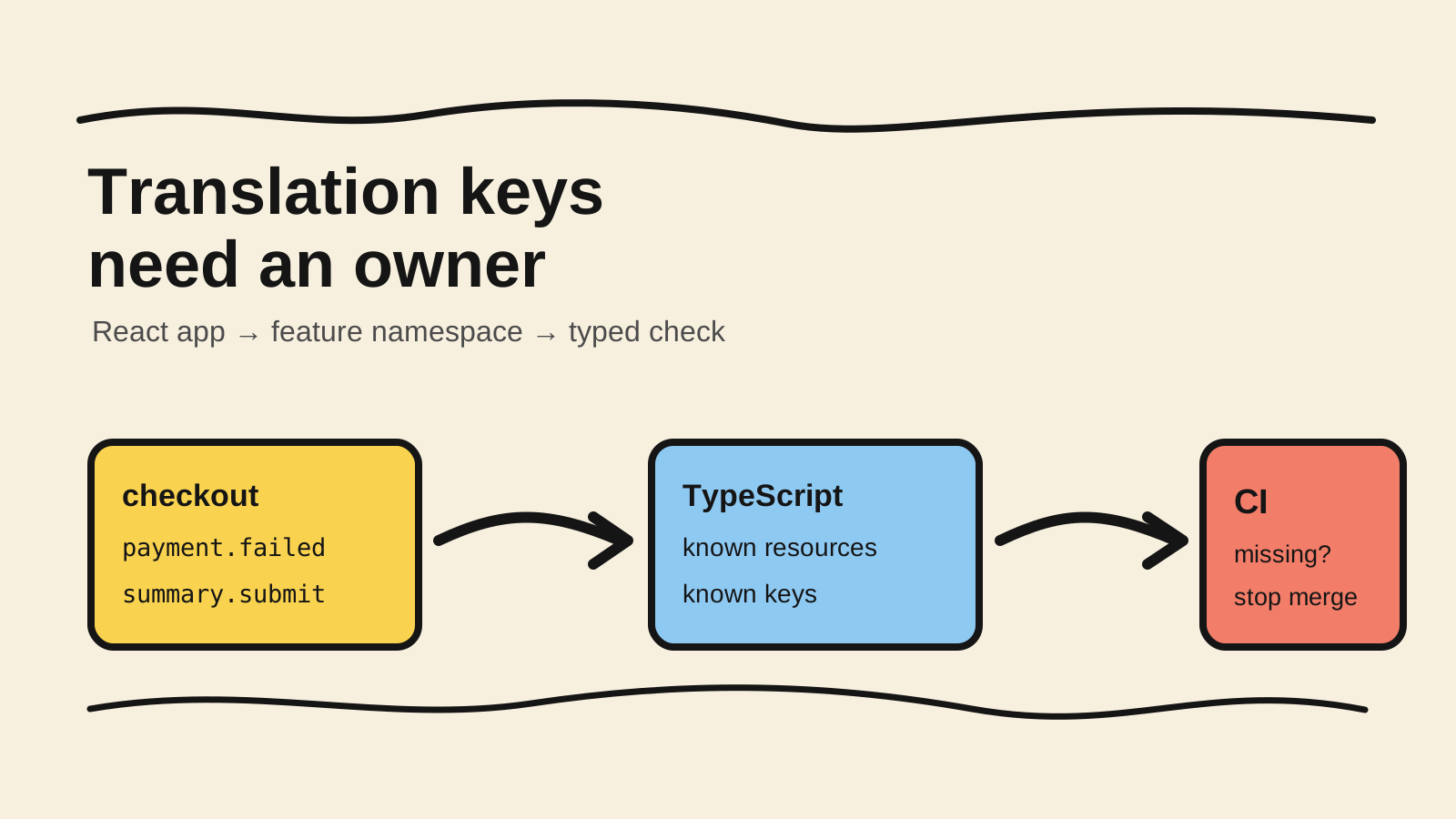
The short answer
- Use one namespace per feature or product area, not one huge file per language.
- Prefer stable semantic keys such as
checkout.payment.failedover the English sentence.- Derive types from the source locale and use
keyPrefixto reduce repeated paths in components.- Check missing keys, hardcoded strings, and generated types before merge.
Why does one translation file start to fail?
The problem with one catalog appears in ownership, loading, and review. The react-i18next documentation recommends separating translation files into namespaces and loading them when a screen needs them (react-i18next, "Multiple Translation Files").
One file per language feels simple while the product has a few screens. As it grows, navigation, billing, onboarding, and error messages end up together. The key no longer shows who can change it, and a small review touches a file edited by several teams.
Namespaces are also a loading boundary. The useTranslation hook can receive a namespace, and the runtime can load only that set when a route renders. This does not mean every project needs lazy loading, but it makes the choice explicit instead of tying each language to one monolithic bundle.
The goal is not to create dozens of files because the folder looks tidy. A namespace should represent an area with an owner, a change cycle, and its own context. If two screens always change together and share the same vocabulary, they may belong to one namespace.
How should you choose namespaces by feature?
Start with the screen or flow a user recognizes. checkout, account, and reports are more useful boundaries than buttons, labels, and messages because they connect the catalog to a team and to the part of the product the user is using.
A simple structure can look like this:
src/locales/
├── en-US/
│   ├── common.json
│   ├── checkout.json
│   └── account.json
├── pt-BR/
│   ├── common.json
│   ├── checkout.json
│   └── account.json
└── es/
    ├── common.json
    ├── checkout.json
    └── account.json
Keep common small. Put only truly shared terms there, such as shell actions or states used by several areas. If every new screen adds text to common, you have only replaced one huge file with one huge namespace.
Inside checkout.json, group messages by usage context:
{
  "summary": {
    "title": "Review your order",
    "total": "Total",
    "submit": "Place order"
  },
  "payment": {
    "failed": "We could not confirm the payment",
    "retry": "Try again"
  }
}
The namespace says which feature owns the key. The internal path explains the screen or state. This is easier to search than a catalog where error, title, and button appear dozens of times.
Semantic keys or sentences as keys: which should you choose?
Choose one style and write it down. i18next uses key-based notation by default and also documents natural-language keys as an alternative (i18next, "Getting started").
For an application maintained by several people, semantic keys separate displayed copy from the identity used by code. payment.failed can keep pointing to the same concept when the sentence changes, and a translator can receive new copy without requiring a search for the old sentence.
That does not mean turning every sentence into a deep taxonomy. Avoid paths that describe the entire component tree, such as pages.checkout.components.payment.form.card.error. The structure should survive a visual refactor.
Avoid vague keys too. title inside checkout.summary is readable. title in common rarely is. If a message has interpolation, plural, or context, make that information explicit in the resource and test the cases that change the sentence between locales.
How do you type keys with TypeScript?
i18next can infer keys and values from a resource object and expose that shape through module augmentation. The official documentation shows how to configure CustomTypeOptions, resources, defaultNS, and keyPrefix (i18next, "TypeScript").
Use one locale as the contract source. Other languages need to keep up with its keys, but they should not redefine the shape that code knows. This example is illustrative:
// src/i18n/resources.ts
export const resources = {
  "en-US": {
    common: {
      cancel: "Cancel",
    },
    checkout: {
      summary: {
        title: "Review your order",
        submit: "Place order",
      },
    },
  },
} as const;

export default resources;
// src/@types/i18next.d.ts
import "i18next";
import resources from "../i18n/resources";
declare module "i18next" {
interface CustomTypeOptions {
defaultNS: "common";
resources: (typeof resources)["en-US"];
}
}In the component, the namespace and prefix reduce the path every call repeats:
import { useTranslation } from "react-i18next";

export function OrderSummary() {
  const { t } = useTranslation("checkout", { keyPrefix: "summary" });

  return (
    <section aria-labelledby="order-summary-title">
      <h2 id="order-summary-title">{t("title")}</h2>
      <button type="submit">{t("submit")}</button>
    </section>
  );
}
This example is illustrative. The source locale name, resource loading, and bundler configuration depend on the application. Run tsc --noEmit in the project and confirm that an unknown key fails where the code would be reviewed before adopting the typing pattern.
The current i18next documentation also describes enableSelector: "optimize" for selector queries and large translation sets. That option changes the API the team uses, so treat it as a migration decision instead of copying one line without measuring its impact on the codebase.
How do you keep locales synchronized?
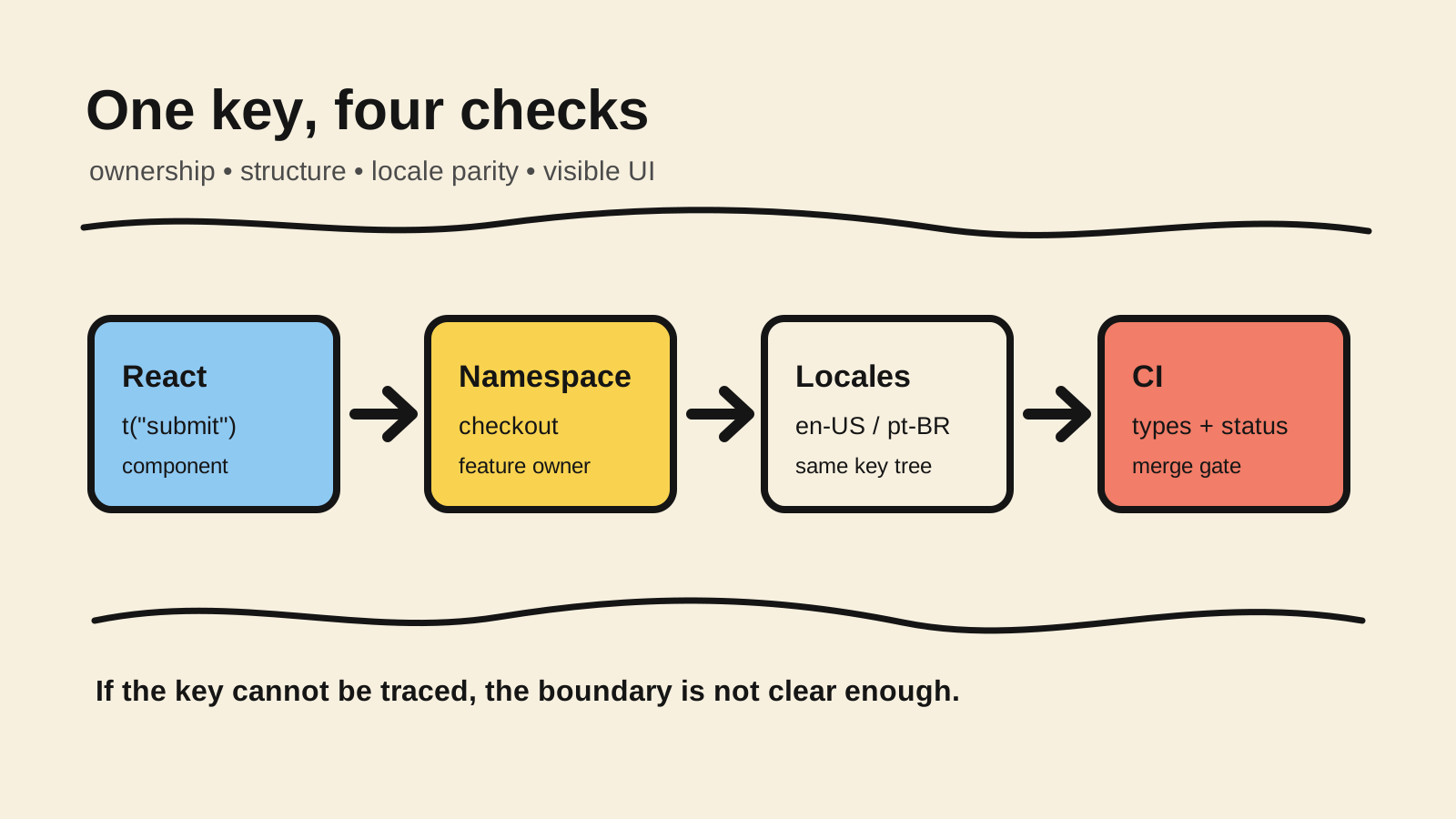
Typing the source locale does not prove that pt-BR and es contain every key. The verification must compare resources and also find strings that escaped the translation workflow.
The i18next-cli, maintained by the same project, combines key extraction, type generation, locale synchronization, and linting (i18next, "i18next-cli"). An initial pipeline can be:
npx i18next-cli status
npx i18next-cli extract --ci
npx i18next-cli types --ci
npx tsc --noEmit
status helps show coverage by language and namespace. extract --ci can fail when the files do not reflect keys found in code. types --ci prevents generated definitions from going stale. tsc closes the part that depends on typed component usage.
There is an important limit: static analysis cannot understand every dynamically constructed key, such as t(`error.${code}`). The CLI README lists this case among the limits of unused-key reporting (i18next, "i18next-cli"). For these flows, use an explicit map of allowed keys or a test that walks the valid codes.
Do not block a merge because an editorial translation is still pending if the product has an acceptable fallback state. Block when the application lost the key, the namespace does not load, interpolation does not match, or a screen introduced visible text outside the contract. These are different failures and deserve different CI messages.
What should you verify before accepting a new key?
A translation review needs to answer two questions: is the key in the right place, and does the behavior remain correct in each locale? i18next describes namespaces as logical groupings and explains resolution order across language, namespace, and fallback (i18next, "Translation Resolution").
Use this list for a product change:
- Ownership: does the key belong to one concrete feature? If two areas use it, is there a reason to share it?
- Name: does the name describe the concept and remain valid if the component moves?
- Parameters: do interpolation, plural, and context have tests for values that change the sentence?
- Loading: does the screen request the right namespace and handle the state while it is still arriving?
- Parity: do all expected locales have the same key or a documented exception?
- Layout: does a longer translation fit the button, menu, and mobile layout?
- Removal: when the feature disappears, is the old key removed or recorded as debt?
The list is short on purpose. It connects JSON review to behavior the user sees. For screen flows, a browser test helps too: separate the API mock from the Playwright contract test and use real navigation to check locale, fallback, and visible content.
When should the structure change?
Do not reorganize every file just because the product grew. Change the structure when a team cannot find a key's owner, when loading requires shipping catalogs for unused screens, or when the parity check takes longer than the change itself.
A safe migration starts with a new namespace and a clear boundary. Move one feature at a time, keep a temporary alias only when compatibility requires it, and remove the old path after consumers are updated. i18next documents keyPrefix and getFixedT as ways to reduce repetition without hiding where a key came from (i18next, "API").
If the team cannot explain the difference between common, shared, and global, do not create another name from the same family. Give one concrete example, record the owner, and make the next review use the rule. A small convention that people follow is worth more than a perfect tree nobody respects.
Frequently asked questions
Should I create one namespace for every React component?
Not by default. A reusable component may have its own text, but the namespace should follow an ownership and loading unit. One file per component increases coordination and can scatter a sentence that should be understood as one flow. Start with features, then split when size or loading justifies it.
Are semantic keys better than using the English sentence?
There is no universal answer. Semantic keys separate copy from identity, which helps when text changes and when several people maintain the catalog. Natural keys can be faster in a small project. The risk appears when styles are mixed or a sentence is treated as a stable identifier.
Does TypeScript guarantee that every locale has the translation?
Not by itself. Typing can check the resource code knows, but parity between locale files needs extraction, status, a custom test, or another pipeline step. Keep the two checks separate so you know whether key usage failed or a translation was not delivered.
Conclusion
In a large application, translation keys are part of the product architecture. Give each feature a clear namespace, use names that survive refactors, and choose one source locale to feed the TypeScript contract.
Then automate what people forget: extraction, parity, types, and hardcoded strings. The goal is not to produce more files. It is to let someone find a message, understand who maintains it, and catch a break before the user does.
Sources consulted
- i18next: TypeScript, retrieved 2026-08-17.
- i18next: Translation Resolution, retrieved 2026-08-17.
- i18next: API, retrieved 2026-08-17.
- i18next: Extracting translations, retrieved 2026-08-17.
- i18next: i18next-cli, retrieved 2026-08-17.
- react-i18next: Multiple Translation Files, retrieved 2026-08-17.
- i18next: Getting started, retrieved 2026-08-17.